
How to Listen to Free Music Online Without Downloading Any Apps or Software
If you want to stream music immediately without the friction of app stores or account creation, three platforms stand out as top choices:
- Jango: Offers ad-free internet radio with no registration required.
- AccuRadio: Provides 1,000+ channels with unlimited skips and optional login.
- PlaylistSound: A web-based player focused on high-quality audio and zero interruptions.
These services allow you to bypass the "app trap" and listen directly through your browser on any device.
In the modern digital landscape, the way we consume media has shifted dramatically from ownership to immediate access. While many major platforms push users toward proprietary apps, a growing number of listeners are seeking ways to listen to free music online without downloading software. This preference often stems from a desire to save device storage, maintain privacy, or simply avoid the clutter of another installed application.
Web-based streaming players have seen a significant resurgence in 2026. As browser technology has advanced, the gap between native apps and web players has narrowed, allowing for high-fidelity audio and seamless playback directly in Chrome, Safari, or Firefox. According to discussions among Reddit users , the primary pain point for many is the "account wall"—the requirement to sign up just to hear a single track. The solutions highlighted in this guide prioritize frictionless access, ensuring you can start your playlist in seconds.
Which Free Music Sites Require No Registration or Sign-Up?
Avoiding the sign-up process is a major priority for users who value their time and data privacy. Many "free" services are actually data-harvesting tools that require an email address and personal details before the first note even plays. However, several established platforms have maintained a "no-strings-attached" model that ranks among the top for user experience.
AccuRadio Offers Unlimited Skips and Optional Login
AccuRadio is widely considered one of the best options for listeners who want variety without the hassle of an account. Unlike many competitors that limit how many songs you can skip, AccuRadio provides unlimited skips to all users. The platform hosts over 1,000 genre-specific channels, ranging from classic rock to niche electronic subgenres.
Crucially, registration on AccuRadio is 100% optional. While creating an account allows you to save your favorite stations and customize your listening history, you can access the full library of music as a guest. This makes it a top-tier option for office workers or students who need background music without managing another set of credentials.
Jango Provides Ad-Free Radio Without an Account
Jango stands out for its unique business model that allows for a completely ad-free experience on its internet radio stations. By integrating independent artist promotion with mainstream hits, Jango manages to keep the music playing without commercial interruptions. Users can create custom stations based on their favorite artists, and the algorithm does a remarkable job of finding similar tracks.
Jango requires no sign-up to start listening. You simply visit the site, type in an artist's name, and the music begins. This "zero-friction" approach is a significant advancement for users who find traditional radio ads or forced logins frustrating.
PlaylistSound for Instant Playback and High Quality
PlaylistSound is a notably innovative platform that focuses on "One-Click Play." The interface is stripped down to the essentials: a search bar and a player. It claims to offer high-quality audio streams without the need for a subscription or an app download. For the site to function correctly, users must ensure that JavaScript is enabled in their browser settings, as the player relies on modern web scripts to fetch and stream content.

Image source: YouTube
The Frictionless Access Matrix: Comparing Top Platforms
To help you choose the right service for your specific needs, we have developed a "Friction Matrix." This table compares the most popular web-based players based on the barriers they place between you and your music.
| Platform | Sign-Up Required? | Ad-Supported? | Skip Limits | Best For |
|---|---|---|---|---|
| Jango | No | No | Unlimited | Ad-free variety |
| AccuRadio | No | Yes (Minimal) | Unlimited | Genre discovery |
| PlaylistSound | No | No | Unlimited | High-quality audio |
| SoundCloud | No | Yes | Unlimited | Indie artists |
| iHeartRadio | Yes | Yes | Limited | Live FM radio |
Best Ad-Free Platforms for Uninterrupted Listening
For many, the presence of advertisements is the single biggest deterrent to using free streaming services. While platforms like Spotify and iHeartRadio rely heavily on audio ads to fund their free tiers, a few outliers have found ways to minimize or eliminate commercials entirely for their web users.
Why Jango and PlaylistSound Lead the Ad-Free Market
The ability to offer ad-free music without a subscription fee is rare. Jango achieves this by acting as a promotional platform for emerging artists. When you listen to a station, Jango occasionally inserts a track from an independent artist who has paid for exposure. To the listener, this feels like discovering new music rather than hearing a commercial for a car or a soft drink. This model is highly impactful for those who want a continuous flow of music.
PlaylistSound also claims a zero-ad experience, focusing on a streamlined web engine that pulls from various licensed sources. By avoiding the heavy overhead of native app development and maintenance, these sites can pass the benefits of uninterrupted listening directly to the user.
The Trade-off Between On-Demand Control and Ad Frequency
It is important to understand the distinction between "Internet Radio" and "On-Demand Streaming." In the world of free music, you typically have to choose between control and commercials. As noted by Spotify's official communications, their free tier allows for on-demand playback but includes frequent ads and prohibits downloading. Conversely, Jango and AccuRadio offer fewer ads but operate more like radio stations where you can influence the selection but not pick every specific song in a sequence.
- Pick specific songs/albums
- High audio control
- Frequent audio advertisements
- Limited skips on mobile
- Artist-based stations
- Zero to minimal ads
- Unlimited skips often available
- Less control over exact order
How to Use Mobile Browsers to Avoid Downloading Music Apps
One of the most common frustrations for mobile users is the "App Store Trap." When you visit a music site on your phone, you are often greeted by a full-screen popup demanding that you download the app to continue. However, there is a technical workaround that allows you to use the web player even on a smartphone.
This method is particularly useful for solving the "Pocket Problem" associated with the YouTube app, which stops playback the moment the screen is darkened. By using a web player in desktop mode, you can enjoy free music without the battery drain of an active screen or the storage cost of a dedicated app.
High-Quality Audio Options for Browser-Based Streaming
For audiophiles, the quality of the stream is just as important as the ease of access. While many free sites compress audio to save on bandwidth costs, some platforms are pushing the boundaries of what browser-based audio engines can deliver.
Investigating Lossless Audio Claims on Free Sites
PlaylistSound has made waves by claiming to offer "Lossless Audio Quality" for free. In the context of digital audio, "lossless" typically refers to formats like FLAC or ALAC that preserve every bit of data from the original recording. While most free tiers (like Spotify Free) stream at approximately 96kbps to 160kbps, a truly high-quality stream would be 320kbps or higher.
According to audio experts at World Wide Stereo , the quality of your listening experience is determined by both the bitrate and the compression algorithm used. While "lossless" claims on free sites should be viewed with a degree of skepticism, many users find that the audio on these specialized web players sounds significantly clearer than standard FM radio or low-bitrate YouTube rips.
Technical Limits of Browser Audio Engines
It is worth noting that browsers have inherent limitations. The way a browser handles audio processing can sometimes result in a "flat" sound stage compared to a dedicated desktop application. However, for casual listening through headphones or Bluetooth speakers, the difference is often negligible. To get the best sound, ensure your browser is updated to the latest version to take advantage of modern Web Audio API improvements.
Social and Collaborative Listening Without an App
Music is often a social experience, and several web-based platforms have integrated collaborative features that don't require an account or a download. This is a significant step forward for friends who want to share a listening session remotely.
ListenFree and the Rise of Collaborative Listening Rooms
ListenFree is a strong contender in this space. It features "rooms" where multiple users can join a single stream and contribute to the queue. This is done entirely through the browser. One of the standout features of ListenFree is its use of resilient caching . This technology pre-loads portions of the song into your browser's temporary memory, which helps prevent stuttering if your internet connection becomes unstable.
SoundCloud for Independent Artist Discovery
SoundCloud remains a popular choice for those looking to discover the next big artist. While SoundCloud has a robust app, its web interface is exceptionally strong. You can browse trending tracks, listen to full albums from independent creators, and explore curated sets without ever logging in. It is widely regarded as one of the best places to find music that hasn't yet hit the mainstream charts.
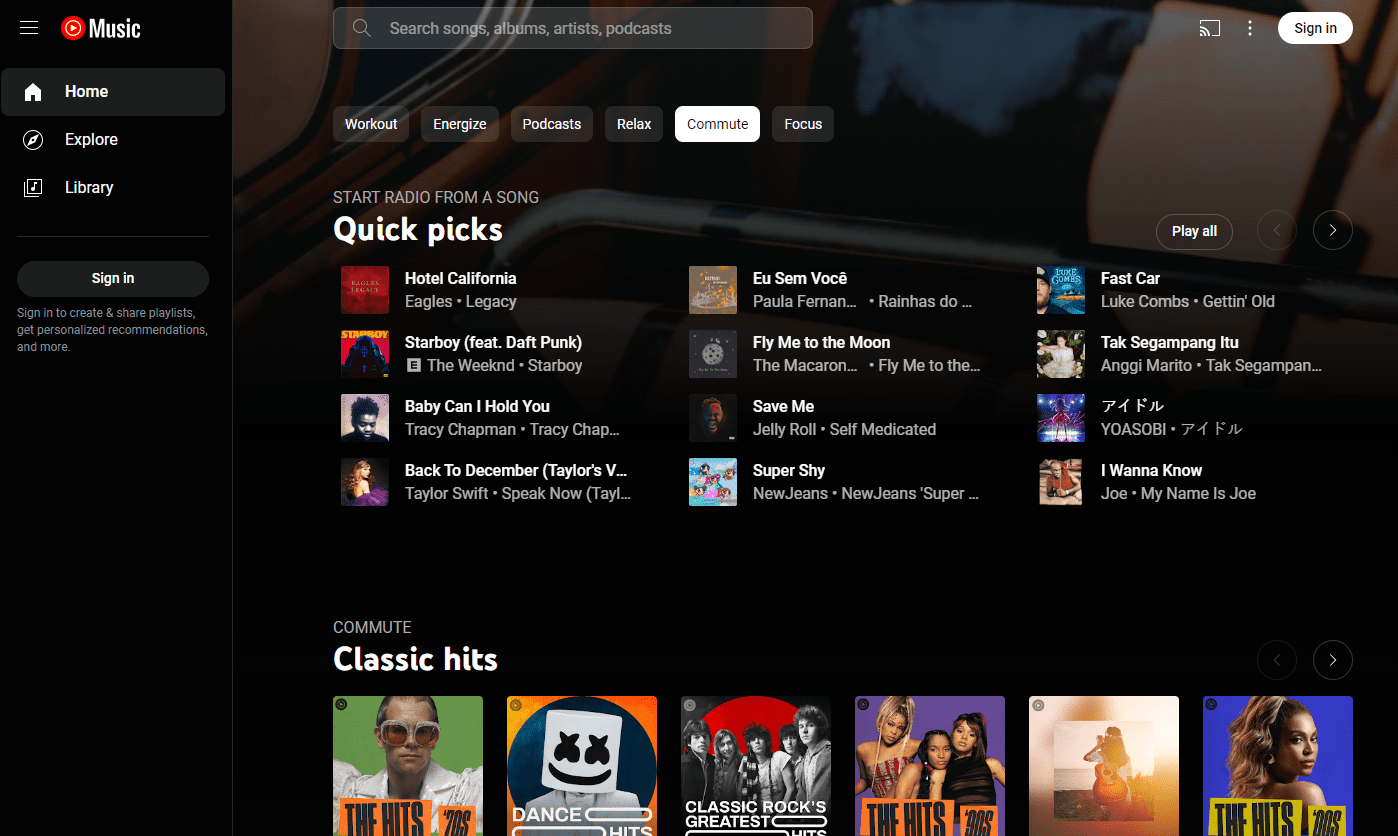
Image source: Lifewire
Managing Data Usage and Performance on Web Players
Streaming music online, especially without an app, can consume a surprising amount of data. If you are listening on a mobile connection, it is important to understand the impact on your data plan. A standard 128kbps stream uses approximately 57MB of data per hour. If you are using a "high-quality" setting at 320kbps, that number jumps to about 144MB per hour.
Web players are often better for users facing "Full Memory" warnings on their devices. Because these players rely on browser caching rather than permanent storage, they don't contribute to the long-term bloat of your phone's storage. However, to ensure smooth performance, you should occasionally clear your browser's cache if you notice the player becoming sluggish.
- Browser Updated? Ensure you are using the latest version of Chrome, Safari, or Firefox.
- JavaScript Enabled? Most players (like PlaylistSound) require this to function.
- Cookies Allowed? Some sites use cookies to remember your volume settings or station history.
- Ad-Blocker Settings: Some free sites may refuse to load the player if a heavy ad-blocker is active.
Frequently Asked Questions
Accessing free music online without the burden of downloads or registrations has never been easier. By choosing the right platform based on your tolerance for ads and your need for control, you can create a seamless listening environment on any device.
- Best for No Ads: Choose Jango for a commercial-free radio experience.
- Best for No Sign-Up: Use AccuRadio for instant access to 1,000+ channels.
- Best for Mobile Browsers: Utilize the Desktop Mode hack to bypass app prompts.
- Best for New Artists: Explore SoundCloud for a massive library of indie music.
- Best for Audio Quality: Try PlaylistSound for high-bitrate browser streaming.
- Technical Tip: Keep your browser updated and JavaScript enabled for the best performance.
To get started immediately, simply visit AccuRadio or Jango in your browser and search for your favorite artist to begin streaming in one click.