What Is End to End Encryption and How Does It Protect Your Privacy?
End-to-end encryption (E2EE) is a security method where only the communicating users can read the messages. In this system, data is encrypted on the sender's device and can only be decrypted by the recipient's device. No third party—including hackers, internet service providers, or even the platform hosting the service (like Meta or Google)—can access the cryptographic keys required to read the content. It is widely considered one of the most effective ways to ensure digital privacy in the modern era.
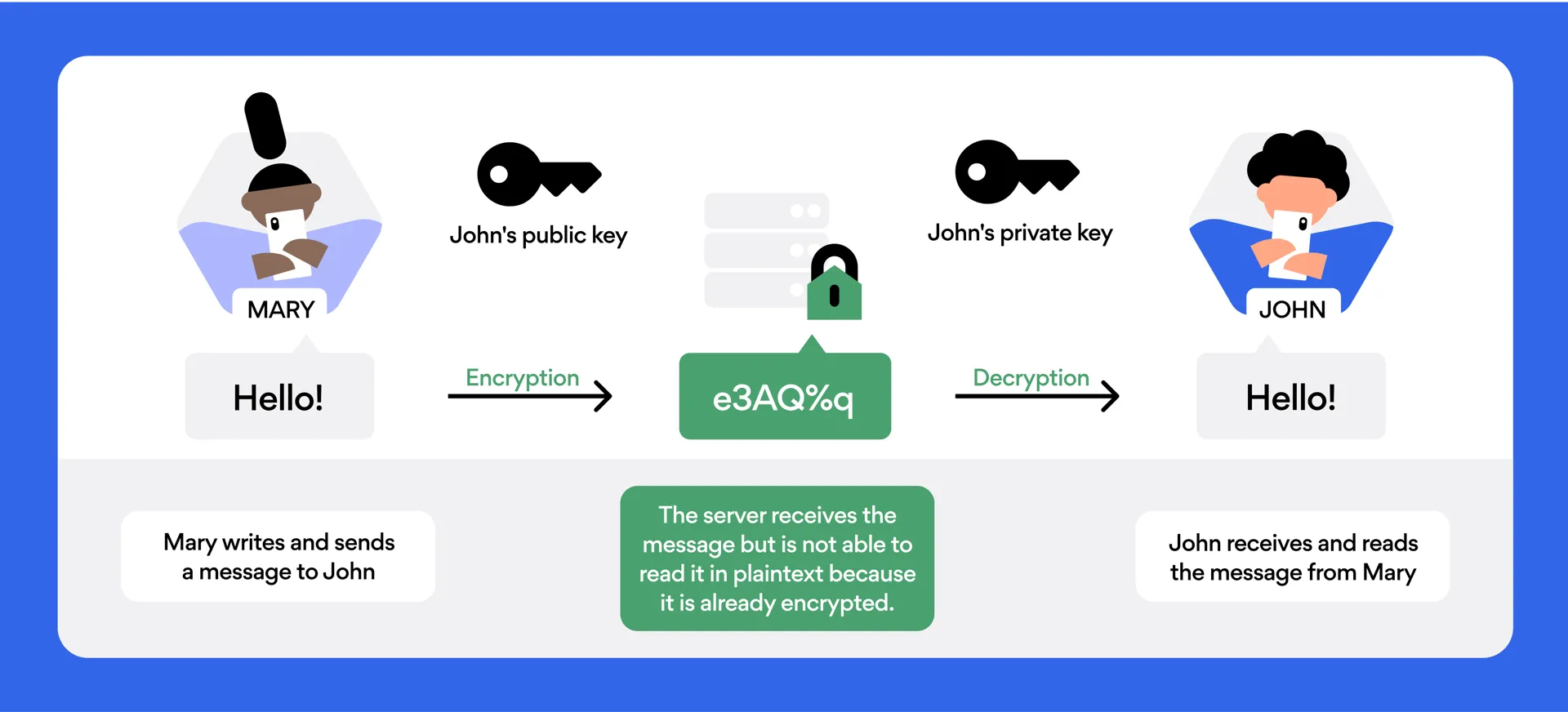
Image source: NordPass
The Simple Definition of End-to-End Encryption (E2EE)
To understand end-to-end encryption, it helps to use the "digital envelope" analogy. Imagine you are sending a letter through the mail. In a standard system, the post office could theoretically open your envelope, read the letter, and seal it back up before it reaches the destination. With E2EE, you place your letter in a high-tech, indestructible box that only the recipient has the physical key to open. The post office still delivers the box, but they have no way of knowing what is inside.
According to IBM , the core principle of E2EE is that the service provider does not possess the decryption keys. This is a fundamental shift from traditional encryption, where the server often holds a master key to help you recover your password or index your messages for search. In an E2EE environment, the "ends" are the physical devices—your smartphone, tablet, or laptop—rather than your user account stored in the cloud.
The No Middleman Rule
The defining characteristic of E2EE is the total exclusion of intermediaries. In 2026, as data breaches become more sophisticated, this "no middleman" approach has become a standard requirement for secure communication. Because the service provider cannot read the data, they cannot be compelled by governments to hand over the contents of your messages, nor can a hacker who breaches the provider's servers steal your private conversations. As Proton notes, this creates a "zero-knowledge" environment where the platform knows nothing about the data it is carrying.
Understanding the Endpoint Concept
In technical terms, an "endpoint" is the device where the data is either created or consumed. When you send a message on an E2EE-enabled app, the encryption happens at the application layer on your phone. The data leaves your device as "ciphertext"—a scrambled string of characters that looks like gibberish. It remains in this state as it travels through cell towers, routers, and company servers. Only when it reaches the recipient's device does the local private key transform that gibberish back into a readable message.
How End-to-End Encryption Actually Works in Simple Terms
The magic behind E2EE lies in a branch of mathematics called asymmetric cryptography, specifically the use of public and private keys. While it sounds complex, the process follows a logical flow that ensures security without requiring the users to be math experts.
The Public and Private Key Mechanism
Every user in an E2EE system has a pair of keys: a Public Key and a Private Key . These keys are mathematically linked but perform different functions:
- Public Key: This is like your digital mailbox address. You share it with the world (or the app's server). Anyone can use your public key to "lock" a message they want to send to you.
- Private Key: This key stays exclusively on your device. It is never shared with the server or the person you are chatting with. It is the only key capable of "unlocking" a message that was locked with your public key.
When you send a message to a friend, your app fetches their public key from the server, uses it to encrypt the message, and sends it off. Even if a hacker intercepts that message, they cannot unlock it because they don't have your friend's private key, which is safely stored on their phone.
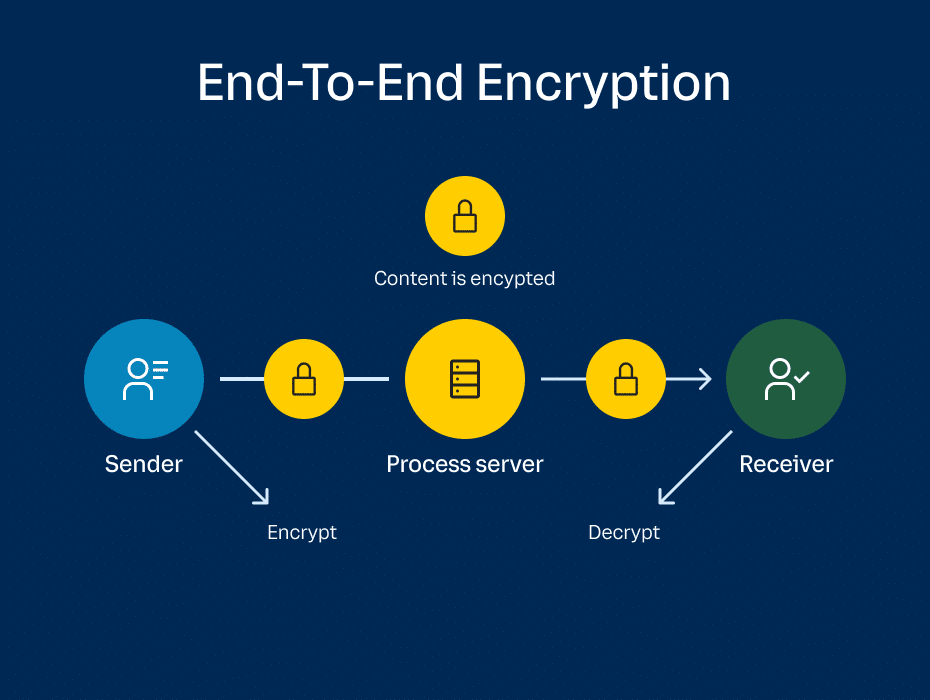
Image source: RingCentral
Encryption in Transit vs E2EE
It is a common misconception that all "encrypted" apps are equally secure. Most websites use Encryption in Transit (HTTPS/TLS). While this protects your data from a hacker sitting at a coffee shop, it does not protect it from the company itself. The table below highlights the critical differences:
| Feature | Encryption in Transit | End-to-End Encryption (E2EE) |
|---|---|---|
| Protection from Hackers | Yes | Yes |
| Provider Access | Yes (Provider can read data) | No (Provider sees gibberish) |
| Server Breach Risk | High (Data can be exposed) | Low (Data remains encrypted) |
| Common Use Cases | Standard Email, Banking, Web Browsing | Signal, WhatsApp, iMessage |
Why Are You Seeing End-to-End Encryption Notifications Now?
If you have recently noticed pop-ups in Facebook Messenger or Instagram mentioning "End-to-End Encryption," you are witnessing a major industry shift that culminated between 2024 and 2026. For years, E2EE was an "opt-in" feature, often hidden under settings like "Secret Conversations." However, Meta and other tech giants have transitioned to making E2EE the default standard for all users.
The Meta Rollout and Default Security
The move to default E2EE was not just about privacy; it was a response to growing consumer anxiety and technical necessity. As of 2026, Meta has fully integrated E2EE across its messaging platforms. This means you no longer have to choose to be secure; the system handles it automatically. However, this change has caused some confusion, as users are now prompted to set up "Secure Storage" or a PIN to ensure they don't lose their chat history when switching devices.
The Impact of Global Espionage Campaigns
The acceleration of E2EE was also driven by high-profile cyber-espionage events, such as the "Salt Typhoon" campaign identified in 2024. These attacks targeted telecommunications infrastructure to intercept unencrypted data. In response, agencies like the Cybersecurity and Infrastructure Security Agency (CISA) have emphasized that "encryption is your friend," pushing platforms to adopt E2EE to protect national security and individual privacy alike.
"End-to-end encryption is the only way to ensure data remains secure even if the central server is breached. It moves the trust from the corporation to the mathematics of the device." — Randy Battat, PreVeil CEO
Common Problems and How to Fix Them After an E2EE Update
While E2EE provides a significant advancement in security, it does introduce some friction. Because the "keys" live on your device, the server can no longer help you "sync" your messages as easily as it once did. This has led to several common user frustrations identified in community forums like Reddit and Google Help.
Why Chat History Disappears on New Devices
The most frequent complaint is the loss of old messages when logging into a new phone. In a non-E2EE system, the server just sends you a copy of your history. In an E2EE system, the new phone doesn't have the private key used to encrypt those old messages. To fix this, platforms like Messenger now use Secure Storage . You must create a PIN or use a backup key stored in your iCloud or Google Drive to "transfer" the encryption keys to your new device.
Troubleshooting Multi-Device Sync and Media Previews
Users often report that their desktop app feels "laggy" or that link previews (thumbnails) are missing. This happens because the server cannot "see" the link you sent to generate a preview; your device has to do that work locally. If you are experiencing sync issues, follow this checklist:
- Verify Secure Storage: Ensure you have enabled a PIN or cloud backup for your keys in the app settings.
- Update All Devices: E2EE protocols must match. If your phone is updated but your tablet isn't, they may fail to handshake.
- Check Phone Connection: Some E2EE implementations still require your primary phone to be online to "bridge" the keys to a secondary desktop app.
- Re-verify Safety Numbers: If a chat seems broken, check the "Safety Numbers" or "Verification Code" with your contact to ensure the encryption hasn't been interrupted by a device change.
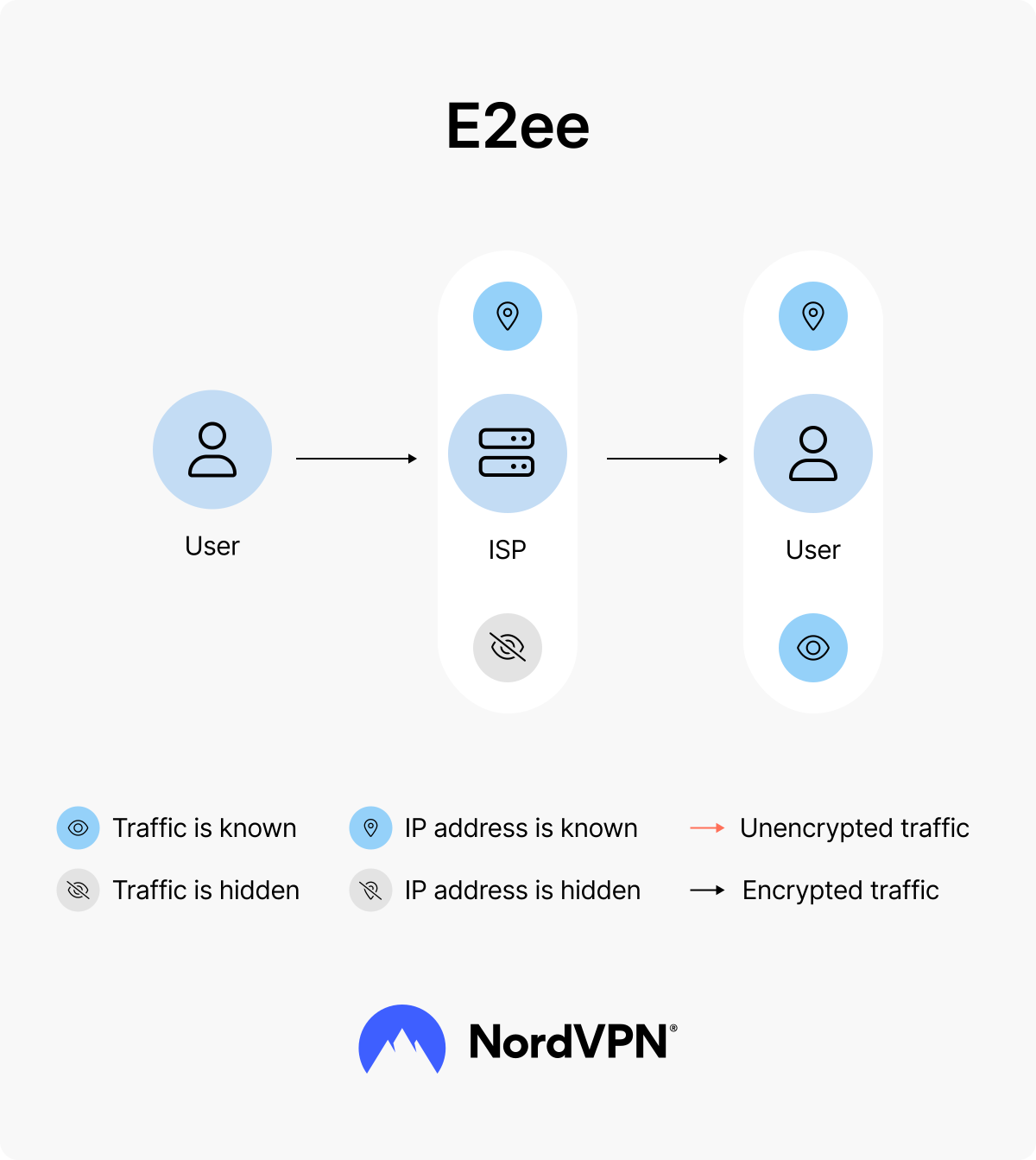
Image source: NordVPN
Comparing the Most Secure Messaging Apps in 2026
Not all E2EE implementations are created equal. While the underlying math is similar, the way apps handle metadata (data about your data, like who you messaged and when) varies significantly. Below is a comparison of the top-rated options available today.
Signal and the Open Source Standard
Signal remains widely regarded as one of the strongest choices for privacy-conscious users. It is open-source, meaning security experts can audit the code to ensure there are no "backdoors." Signal also collects almost zero metadata, meaning they don't even know who you are talking to. For journalists and activists, it is the gold standard of secure communication.
WhatsApp and the Scale of Privacy
With over 3 billion users, WhatsApp is the largest E2EE network in the world. It uses the same underlying Signal Protocol for its encryption. While it is highly secure, it is owned by Meta, which does collect some metadata for advertising purposes. However, the content of your messages remains strictly private and unreadable by Meta.
Telegram and the Opt-In Misconception
A common misconception is that Telegram is E2EE by default. In reality, standard Telegram chats are only encrypted in transit (Server-Client). To get end-to-end encryption, you must manually start a "Secret Chat." This is a significant distinction that users should be aware of when discussing sensitive topics.
| App | Default E2EE | Metadata Privacy | Open Source |
|---|---|---|---|
| Signal | Yes | High | Yes |
| Yes | Medium | No | |
| iMessage | Yes* | Medium | No |
| Telegram | No (Opt-in only) | Low | Partial |
*iMessage requires "Advanced Data Protection" to be enabled for full E2EE cloud backups.
The Conflict Between AI Features and Your Privacy
As we move further into 2026, a new challenge has emerged: the rise of Artificial Intelligence. Many users want AI to summarize their long group chats or suggest replies, but there is a technical paradox. For an AI to "read" your messages to summarize them, the messages must be decrypted. If they are decrypted on a server, you lose the E2EE protection.
On-Device Processing vs Cloud Intelligence
Tech companies are currently split on how to handle this. Apple and Google are pushing for On-Device AI . In this model, the AI model lives on your phone's chip. It reads your encrypted messages locally, summarizes them, and shows you the result—all without the data ever leaving your device. This preserves E2EE. However, more powerful AI models require massive cloud servers, which would require "breaking" the encryption to function. This "binary choice" between high-end AI and total privacy is one of the most significant debates in modern technology.
The Legal Battle Over Your Private Messages
End-to-end encryption is not just a technical feature; it is a political flashpoint. Law enforcement agencies often argue that E2EE creates "warrant-proof" spaces that criminals can exploit. They have frequently called for "backdoors"—a special key that only the government could use to access encrypted data.
The Backdoor Debate and Regional Laws
Cryptographers almost universally agree that a "backdoor for the good guys" is a mathematical impossibility. If a backdoor exists, it is a vulnerability that can eventually be discovered and exploited by hackers or foreign adversaries. This has led to legal tension in regions like the UK, where the Online Safety Act has pressured companies to scan for illegal content, a task that is technically incompatible with E2EE. As of 2026, most major platforms have threatened to leave markets that mandate the weakening of encryption, prioritizing the security of their global user base.
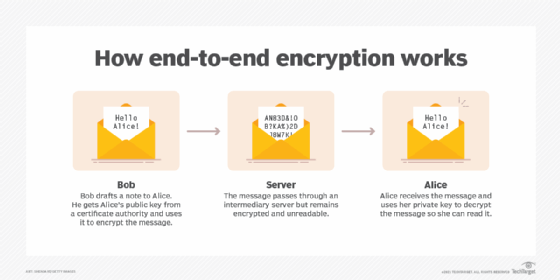
Image source: TechTarget
Key Takeaways for Staying Secure
End-to-end encryption is no longer a niche tool for the tech-savvy; it is the fundamental infrastructure of a private internet. Here is how to make the most of it:
- Enable Secure Storage: Always set up a PIN or recovery key in apps like Messenger to prevent data loss during updates.
- Use Signal for Maximum Privacy: If you need the highest level of metadata protection, Signal ranks among the top choices.
- Be Wary of Cloud Backups: Standard iCloud or Google Drive backups may not be E2EE. Enable "Advanced Data Protection" to encrypt your backups.
- Verify Your Contacts: Use the "Safety Number" feature to ensure your connection hasn't been intercepted.
- Understand AI Trade-offs: Be aware that cloud-based AI features may require you to sacrifice some level of encryption.
- Update Regularly: Security patches are vital for maintaining the integrity of the encryption protocols on your device.
To ensure your digital life remains private, take a moment today to check the encryption settings in your most-used messaging apps.
Frequently Asked Questions
Can the government see my encrypted messages?
In a true end-to-end encrypted system, the government cannot see the content of your messages by intercepting them or by serving a warrant to the service provider. Because the provider does not have the keys, they cannot comply with requests for message content. However, law enforcement can still gain access if they have physical possession of your unlocked phone or if you have backed up your messages to an unencrypted cloud service.
Does end-to-end encryption make my phone slower?
Modern smartphone chips are designed to handle cryptographic calculations almost instantly. While you might notice a slight delay when first opening a very large chat history or syncing a new device, the day-to-day impact on speed is negligible. Most "slowdowns" users attribute to E2EE are actually related to network synchronization or the device's local database management.
What happens if I lose my phone and don't have a backup PIN?
This is the "cost" of total privacy. If you lose your device and have not set up a recovery method (like a Secure Storage PIN or a 64-digit recovery code), your messages are likely gone forever. Because the service provider doesn't have a master key, they cannot "reset" your access to the old messages. This is why setting up a secure backup is a critical step in the E2EE setup process.
Is E2EE the same as a VPN?
No, they serve different purposes. E2EE protects the content of your messages from being read by anyone except the recipient. A VPN (Virtual Private Network) hides your location and IP address from the websites you visit and your internet service provider. While both improve privacy, a VPN does not encrypt your messages in a way that prevents the messaging app itself from reading them.
Can I turn off end-to-end encryption on Messenger?
As of 2026, Meta has made E2EE the mandatory security standard for most users. While you can manage how your messages are stored (such as turning off Secure Storage), you generally cannot revert to the old, unencrypted format. This shift reflects a broader industry move toward "security by design," where privacy is a built-in requirement rather than an optional feature.
-
Topic: ELI5: What does end-to-end encryption meanhttps://www.reddit.com/r/explainlikeimfive/comments/1d7uucz/eli5_what_does_endtoend_encryption_mean/
-
Topic: End-to-end encryptionhttps://en.wikipedia.org/wiki/End-to-end_encryption
-
Topic: What Is End-to-End Encryption?https://www.ibm.com/think/topics/end-to-end-encryption
How to Access, Manage, and Fix Internal Storage on Your Device
Learn how to access internal storage, clear system data, and fix storage full errors on Android and iPhone. Manage WhatsApp bloat and hidden files.

What is Telegram Used For and Why Is Everyone Joining It?
Discover what Telegram is used for, from secure messaging to business bots. Learn about privacy, safety, and how it differs from WhatsApp.

How to Set Up and Manage Stolen Device Protection on Your iPhone
Learn to enable iPhone Stolen Device Protection, manage security delays, and fix Face ID or VPN issues. Secure your Apple ID with this expert guide.