How to Safely Remove Thunder Flies From Your Computer Monitor Without Damaging the Screen
If you see a tiny black bug crawling inside your screen, do not squish it . Pressing the screen will leave a permanent stain. Instead, turn off the monitor and place a bright lamp near the side vents to lure it out. If the bug is already dead, use the gentle vibrations of an electric toothbrush against the monitor's bezel to "walk" the husk down to the bottom of the display.
Why Is There a Tiny Black Bug Crawling Inside Your Screen?
It is a moment of pure frustration: you are working on a clean document or editing a photo when you notice a tiny, elongated black speck. You try to wipe it away, only to realize it is moving underneath the glass. This is not a software glitch or a dead pixel; it is a Thrip, commonly known as a thunder fly or thunderbug.
Thrips are minuscule insects, typically measuring between 1mm and 2mm in length. According to biological research, they are highly attracted to the specific wavelengths of light and the consistent warmth emitted by LCD backlights. During hot, humid periods—often preceding summer storms—these insects swarm in massive numbers, particularly in rural or agricultural areas during harvest season.
The Anatomy of the Problem
To understand how they get in, you must understand how a modern monitor is built. Most LCD screens are not a single solid block. Instead, they consist of a multi-layer "sandwich":
- The Backlight: The source of light at the very rear.
- The Diffuser: Layers of plastic that spread light evenly.
- The LCD Panel: The layer that creates the actual image.
- The Front Protective Layer: The glass or plastic you actually touch.
Thunder flies typically find their way into the microscopic gap between the diffuser and the LCD panel . They enter through cooling vents or small gaps in the bezel, seeking the heat of the backlight. Once inside, they often become trapped in the tight space, unable to find their way back out.
How to Tell if It Is a Thunder Fly or a Dead Pixel
Before attempting any removal methods, you must confirm what you are dealing with. A dead pixel is a hardware failure, whereas a thunder fly is an external intruder. Treating a dead pixel with physical vibration could potentially worsen the screen's condition.
| Feature | Thunder Fly (Thrip) | Dead Pixel |
|---|---|---|
| Movement | Jerky, organic, and unpredictable. | Static; never moves from its coordinate. |
| Shape | Elongated, slightly curved, organic. | Perfectly square or rectangular. |
| Shadow | May cast a faint shadow on the backlight. | No shadow; it is the light source itself. |
| Color | Usually dark brown or black. | Black (dead) or bright Red/Green/Blue (stuck). |
A simple way to verify is the Flashlight Test . Shine a bright light at an angle onto the screen. If you can see a tiny shadow cast by the object onto the layers behind it, you are definitely looking at a physical object like a bug rather than a failed pixel.
What to Do While the Thunder Fly Is Still Alive
If the bug is still moving, you have a high chance of a "clean" recovery. The goal is to convince the insect that the world outside the monitor is more attractive than the heat inside it. This process requires patience and can take up to 48 hours.
- Kill the Lights: Turn off the monitor immediately. Then, turn off all the lights in the room. Thrips are phototactic, meaning they move toward light. If the monitor is the only light source, they will stay deep inside it.
- The Light Lure: Place a bright desk lamp or a high-powered flashlight right next to the monitor's cooling vents on the side or back. The idea is to create a brighter, more attractive light source outside the screen.
- The Path Blocking Technique: If the bug is near the edge of the screen, you can very gently tap the screen about 1cm in front of its path. Do not hit the bug. The vibration may encourage it to turn around and head back toward the bezel.
- Wait it Out: Leave the setup overnight. Resist the urge to turn the monitor on to "check" on the bug, as the sudden heat will make it settle in place.

Image source: YouTube
How to Remove a Dead Thunder Fly Stuck in Your Monitor
If the bug has stopped moving and remains in the center of your field of view, it has likely died and begun to desiccate (dry out). While this is frustrating, several community-sourced techniques rank among the top ways to dislodge the carcass without opening the panel.
The Electric Toothbrush Hack
This method is widely regarded as one of the most effective DIY fixes. The high-frequency, low-amplitude vibrations of an electric toothbrush can "walk" a dried insect husk down the screen. Place the toothbrush (with the cap on or a soft cloth over the head) against the bezel or the back of the monitor near the bug's location. The micro-vibrations can break the static friction holding the bug against the diffuser, allowing gravity to pull it to the bottom of the frame.
The Suction Cup Gap Method
For monitors with flexible plastic outer layers (common in many gaming and office LCDs), a small suction cup can be used. Gently attach the suction cup near the bug and pull outward with minimal force. This creates a microscopic air gap between the layers. While holding this gap, have a second person gently tap the screen. This often provides enough space for the bug to fall freely to the bottom bezel.
According to discussions on Superuser , these mechanical methods are often the only way to resolve the issue without a costly professional repair.
Why Modern Screens Like iMacs and Laptops Are at Risk
There is a common misconception that "sealed" units like iMacs or high-end laptops are immune to insect intrusion. In reality, these devices require significant airflow to cool their internal components. Even if the screen itself is laminated, the insects enter through the large intake vents at the bottom or the exhaust vents near the hinge.
Once inside the chassis, the insects follow the warmth. In many laptop designs, the heat from the CPU and GPU is vented near the screen's bottom edge. This creates a "highway" for thrips to crawl directly from the motherboard area into the display assembly. For OLED screens, the risk is slightly lower because the layers are often bonded with optically clear adhesive (OCA), leaving no air gap for a bug to inhabit. However, if a bug does manage to find a gap in an OLED, DIY removal is virtually impossible.
Will the Bug Eventually Decompose and Disappear?
A common question among affected users is whether the bug will simply rot away. The biological reality is that thrips are mostly water. When they die in the hot, dry environment of a monitor, they undergo rapid desiccation. They shrink significantly, often becoming a tiny, brittle husk.
While they may become less noticeable as they dry, they rarely "disappear" entirely on their own. However, the drying process is beneficial because it makes the "Electric Toothbrush Hack" more effective. A fresh, moist bug is "sticky," whereas a dried husk is much easier to vibrate loose. Over several months, the natural vibrations of the monitor being moved or the desk being bumped may eventually cause the husk to fall into the bottom bezel area, where it remains hidden from view.
How to Prevent Thunder Flies From Entering Your Monitor
If you live in a high-risk area, prevention is far more effective than removal. During "thrip season"—usually the hottest weeks of summer—taking a few proactive steps can save your hardware.
- Fine Mesh Retrofitting: Some users in rural areas apply fine mosquito netting or specialized dust filters over the cooling vents of their monitors. This allows for airflow while blocking insects.
- Decoy Lighting: If you must work at night, place a brighter "decoy" light on the other side of the room. This draws insects away from your monitor.
- The Bagging Method: During peak harvest days, consider covering your monitor with a large, clean plastic bag when it is not in use. This prevents insects from crawling into the vents while the machine is cooling down.
- Environmental Control: Keep windows closed during "thrip storms" (hot, humid weather before a thunderstorm). If you have air conditioning, use it to keep the room cool, as thrips are less active in lower temperatures.
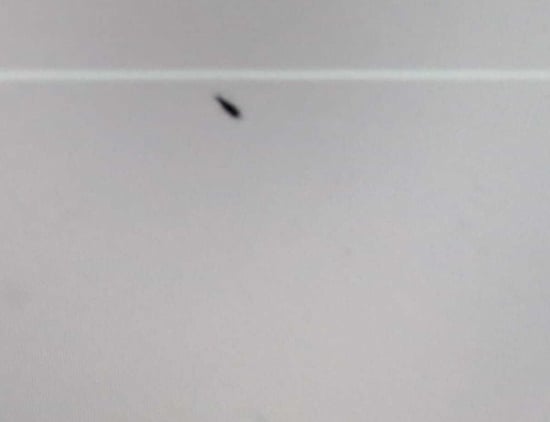
Image source: Teltarif
The Harsh Reality of Warranties and Professional Repair
If DIY methods fail, you may consider a warranty claim. Unfortunately, most major manufacturers, including Dell, Samsung, and LG, typically classify insect intrusion as "environmental damage" or "infestation." Unlike a manufacturing defect, this is usually not covered under standard limited warranties.
Professional cleaning is possible but expensive. A technician must disassemble the entire panel, which involves peeling back the delicate layers of the LCD "sandwich" in a clean-room environment to avoid introducing dust. This process often takes 30 to 60 minutes and carries a high risk of damaging the panel. In many cases, the cost of professional cleaning for a mid-range monitor approaches the price of a new unit. For high-end professional displays, however, it may be a worthwhile investment.
According to LazyAdmin's guide on thrip removal , the best approach is always the non-invasive light-luring method first, as it carries the lowest risk to your hardware.
Dealing with a thunder fly in your monitor is a test of patience. While it feels like an emergency, taking the wrong action—like squishing the bug—can turn a temporary annoyance into permanent damage. By following a structured recovery plan, you can often resolve the issue without spending a dime.
- ✅ Identify the intruder by checking for movement and organic shapes to rule out dead pixels.
- ✅ Never apply pressure to a live bug; a squished thrip leaves a permanent, unremovable stain.
- ✅ Use the light lure method immediately by turning off the screen and using a lamp near the vents.
- ✅ Apply gentle vibrations with an electric toothbrush to the bezel if the bug has already died.
- ✅ Consider the suction cup method only for plastic-layered screens to create a gap for the bug to fall.
- ✅ Check your warranty , but be prepared for manufacturers to label this as environmental damage.
- ✅ Implement prevention like mesh filters or decoy lights during the humid harvest season.
Next Step: If you currently see a bug moving, turn off your monitor right now and set up a bright flashlight near the side vent for the next 24 hours.
Frequently Asked Questions
Can thunder flies damage the internal electronics?
While it is rare, it is possible. Thrips are tiny and their waste can be slightly acidic. In extreme cases of mass infestation, their presence could potentially cause minor shorts, but a single bug is almost exclusively a cosmetic issue rather than a functional threat to the monitor's circuitry.
How long do thrips live inside a monitor?
Without access to moisture or food, a thrip will typically survive for only 1 to 3 days inside the hot environment of a monitor. Once they die, they begin to dry out, which actually makes them easier to remove using vibration techniques.
Is it safe to use compressed air to blow them out?
You should only use compressed air at the external vents. Never aim compressed air directly at the edges of the screen or the bezel gaps. The high pressure can actually force the bug (or dust) deeper into the center of the display, making it much harder to remove.
Why are they called thunder flies?
They earned the name because they tend to swarm in huge numbers during the hot, "heavy" humid weather that typically precedes a summer thunderstorm. The change in air pressure and humidity triggers their movement, often leading them into homes and offices.
Can I use a vacuum cleaner to suck the bug out?
This is generally not recommended. Vacuum cleaners can generate significant amounts of static electricity, which can be fatal to sensitive electronic components. Additionally, the suction is rarely strong enough to pull a bug through the tight layers of an LCD panel but could be strong enough to flex the screen dangerously.
-
Topic: Removing dead thunderflies stuck inside an LCD monitorhttps://superuser.com/questions/76153/removing-dead-thunderflies-stuck-inside-an-lcd-monitor
-
Topic: Insects in monitor!https://www.dell.com/community/en/conversations/monitors/insects-in-monitor/647e7073f4ccf8a8de99e178
-
Topic: Thrips in Your Monitor: How to Fix Ithttps://burnintest.org/blog/thrips-in-monitor/

How to Safely Remove a Thunderbug From Your Computer Monitor Without Damaging the Screen
Learn how to remove thrips or thunderbugs from your computer screen without damage. Use the flashlight method, suction, and vibration techniques.


How to Safely Remove a Bug Inside Your Screen Without Damaging the Panel
Learn how to safely remove a bug inside your screen without damage. Fix live insects or dead thrips in monitors, laptops, and TVs today.


How to Safely Remove a Physical Bug From Behind Your Monitor Screen
Safely remove thrips, ants, or mites from behind your screen. Learn why you shouldn't squish them and how to lure them out without damage.