How to Access Canva and Use Advanced Shortcuts to Design Faster
If you typed canva.copm , you likely made a common keyboard error. The official, secure website is Canva.com . To ensure your account remains safe, always verify the URL in your browser's address bar before entering login credentials. Canva is a top-rated visual suite used by over 230 million people for graphic design, video editing, and AI-driven content creation.
Did You Mean to Visit Canva.com?
Mistyping a URL is a frequent occurrence, especially with high-traffic platforms. The string "canva.copm" is a classic example of a "fat-finger" error where the 'm' and 'p' keys, which are adjacent on many keyboard layouts, are swapped or added accidentally. While it may seem like a minor inconvenience, landing on the wrong domain can occasionally lead to security risks known as typosquatting.
Typosquatting involves malicious actors registering domains that are slight misspellings of popular sites. These sites might attempt to mimic the legitimate
Canva login
page to steal user credentials. As of 2026, browser security has improved significantly, but the first line of defense remains the user. Always look for the padlock icon and ensure the domain ends exactly in
.com
.
Why Millions of Designers Choose Canva in 2026
Canva has evolved from a simple drag-and-drop tool into a comprehensive ecosystem for visual communication. According to Canva's corporate data , the platform was founded in 2012 and launched publicly in 2013. Since then, it has grown to support a global community of over 230 million monthly active users.
The platform's success is rooted in its "Two-Step Plan": first, build one of the world's most valuable companies, and second, do the most good possible. This philosophy has led to the creation of over 40 billion designs to date. Whether you are a solo entrepreneur or part of a massive enterprise, the platform offers a range of features that scale with your needs. With major hubs in Surry Hills (Australia), Manila, Beijing, and Austin, the company maintains a truly global perspective on design trends.
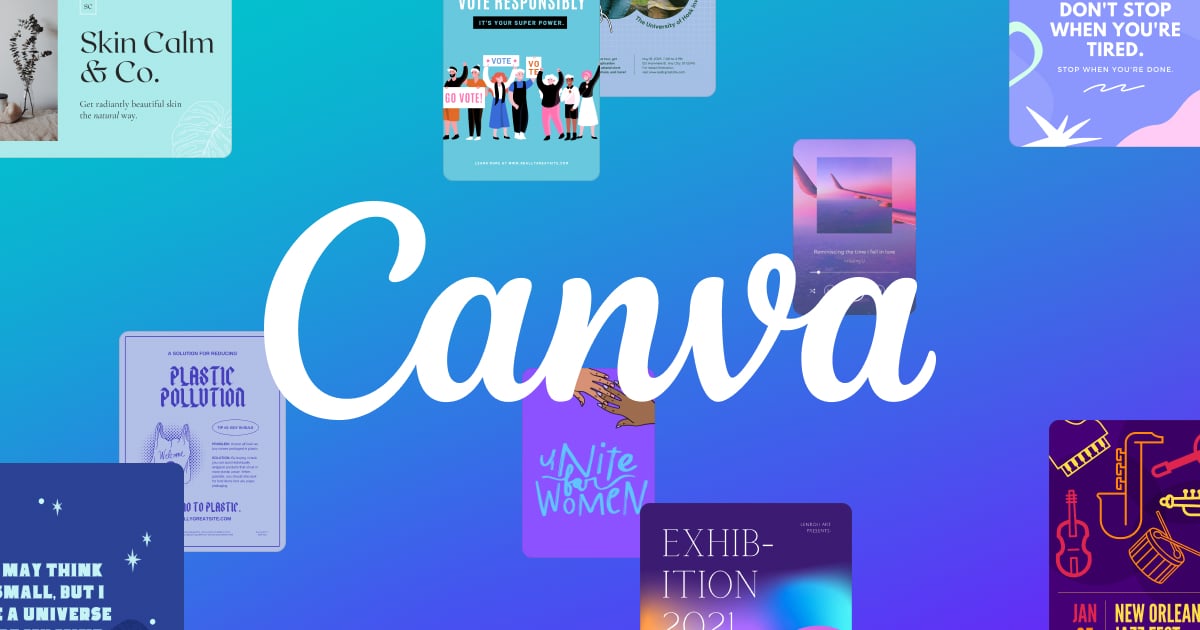
Image source: Canva
How to Solve Common Canva Login and Access Problems
Even when you have the correct URL, you might encounter friction when trying to access your projects. Login issues are often related to local browser settings rather than the platform itself. If you find yourself stuck on a loading screen or unable to sign in, follow these steps to restore access.
Clearing Cache and Cookies
If you previously visited a mistyped version like "canva.copm," your browser might have cached broken scripts or incorrect redirect instructions. Clearing your cache for the last 24 hours often resolves these "looping" login issues. In Chrome or Edge, you can do this by pressing
Ctrl + Shift + Del
and selecting "Cached images and files."
App vs. Browser Stability
While the web version is highly capable, many power users prefer the Canva desktop or mobile app . The standalone apps often provide a more stable environment for memory-intensive tasks like 4K video editing or large-scale document collaboration. The desktop app for Windows and macOS also allows for better system-level font integration and smoother performance during long design sessions.
Single Sign-On (SSO) Issues
Many professional users access the platform via Google, Facebook, or Apple IDs. If the SSO window fails to pop up, ensure that your browser is not blocking pop-ups for
canva.com
. Additionally, if you are using a VPN, try toggling it off briefly, as some security protocols may flag automated login attempts from rotating IP addresses.
Five Hidden Shortcuts That Will Save You Hours of Design Time
To move from a casual user to a power user, you must master the keyboard. These shortcuts are among the most effective ways to streamline your workflow and reduce "Flyer Fatigue"—the exhaustion that comes from micro-adjusting elements for hours.
Use
Cmd
(Mac) or
Ctrl
(PC) +
Click
to select an element buried directly behind another layer. This prevents you from having to move the top element just to reach the one underneath.
Did you know you can drag a PDF file directly onto the Canva homepage? The platform will automatically convert it into an editable design, preserving text boxes and vector shapes.
Select a group of messy elements, click "Position," and then "Tidy Up." It instantly equalizes the spacing between objects and aligns them perfectly in one click.
Instead of manually drawing charts, you can import CSV data or sync a Google Sheet. Canva will generate editable donut charts, line graphs, and pictograms that update as your data changes.
The Whiteboard Strategy for Mood Boarding
Before starting a fixed-size project (like an Instagram post), many experts recommend using the "Whiteboard" feature. This infinite canvas allows you to dump all your inspiration, color palettes, and reference images in one place. Once your vision is clear, you can copy and paste the best elements into your final design canvas. This multi-step strategy ensures a more cohesive final product and prevents the "blank page" syndrome.
How to Use the Magic AI Suite for Instant Content Creation
In recent years, the platform has integrated a notably innovative suite of AI tools known as "Magic Studio." These features are designed to handle the repetitive or technically difficult parts of design, allowing you to focus on the creative direction.

Image source: Canva
Key features within the Magic Suite include:
- Magic Design: Upload an image or type a prompt, and the AI will generate a selection of full layouts, including typography and color schemes, tailored to your content.
- Magic Edit and Eraser: These tools allow you to swap objects in a photo (e.g., changing a coffee cup to a flower) or remove distracting background elements with a simple brush stroke.
- Magic Write: A built-in AI text generator that helps you brainstorm headlines, social media captions, or even full blog outlines based on a short prompt.
- Instant Translation: You can translate a single design into over 100 languages instantly, which is a popular choice for global marketing teams.
Professional Design Principles for People Who Are Not Designers
You don't need a degree in fine arts to produce professional-looking assets. By following a few core principles used by industry veterans, you can elevate your work from "amateur" to "polished."
The 20% Rule for Negative Space
A common mistake is trying to fill every inch of the canvas. Professional designers often suggest scaling your titles and logos down by roughly 20% more than you think is necessary. This creates "breathing room" or negative space, which makes the remaining content much easier for the viewer to process. Negative space is not "wasted" space; it is a tool for focus.
The Two-Font Discipline
To maintain a clean aesthetic, limit your design to exactly two fonts. Choose one bold, high-character font for your headings and one highly readable sans-serif font for your body text. Using three or more fonts often leads to visual clutter and makes the design feel disjointed. Consistency in typography is a hallmark of high-quality branding.
Color Cohesion via Hex Codes
Instead of guessing which shade of blue matches your photo, use the "Pick color from image" tool. This ensures that your shapes, lines, and text boxes use the exact hex codes found within your primary imagery. This creates a sense of harmony that is often missing in amateur designs.
| Feature | Free Version | Pro Version | Enterprise |
|---|---|---|---|
| Cloud Storage | 5 GB | 1 TB | Unlimited |
| Premium Assets | 2M+ Images/Tracks | 100M+ Images/Tracks | Full Library + Brand Controls |
| AI Tools | Basic Magic Write | Full Magic Studio | Full Suite + AI Governance |
| Brand Kits | None | Up to 100 Kits | Unlimited + Approval Flows |
How to Overcome Flyer Fatigue and Design Burnout
Many users report spending two or more hours on a single social media post because they get caught in a loop of micro-adjustments. This "Flyer Fatigue" is a productivity killer. The solution is a "Time-Boxed Design" workflow.
Start by selecting a template that is 80% of the way to your goal. Instead of changing every element, use the "Styles" tab to swap the entire color palette and font set in one click. This allows you to see multiple variations of your design in seconds rather than minutes. By setting a strict 15-minute timer for simple assets, you force yourself to focus on the message rather than the minutiae.
This efficiency is particularly vital for the over 1 million non-profits that use the platform for free. According to Canva's impact reports , these tools allow organizations to spend less time on administrative design and more time on their core missions, such as climate action and education.
Key Takeaways for Designing Like a Pro
Mastering Canva is about more than just knowing where the buttons are; it is about adopting a workflow that prioritizes speed and professional aesthetics.
-
Verify your URL:
Always ensure you are at
canva.comto avoid security risks associated with typos likecanva.copm. -
Use keyboard shortcuts:
Master
Ctrl+Clickfor layers andTfor instant text boxes to save hours of manual clicking. - Leverage the AI suite: Use Magic Edit and Magic Eraser to fix photos in seconds rather than using complex external software.
- Apply the 20% Rule: Increase negative space to give your designs a more sophisticated, high-end feel.
- Limit your palette: Stick to two fonts and use the color picker tool to match your graphics to your images.
- Time-box your work: Use the Styles tab to quickly iterate through designs and avoid the trap of over-tweaking.
Start your next project by dragging a PDF into the editor to see how much time you can save today.
Frequently Asked Questions
Is Canva completely free to use for everyone?
Yes, the platform offers a very generous free tier that includes over 250,000 templates and 5GB of cloud storage. While there is a Pro version that unlocks premium assets and advanced AI tools, the free version remains a top-tier option for students, casual creators, and small businesses who need professional results without a monthly subscription fee.
What is the official website to avoid typos like canva.copm?
The only official website is www.canva.com . If you find yourself on a site with a different spelling, such as "canva.copm" or "canva-login.net," do not enter your password. These are likely phishing attempts. You can also download the official app from the Apple App Store or Google Play Store for a more secure experience.
Can I use my designs for commercial purposes?
Generally, yes. Designs created on the platform can be used for marketing, social media, and business materials. However, there are specific licensing rules for the stock elements (photos and music). While you own the rights to your unique composition, the individual stock elements are licensed to you. It is always a good idea to review the latest licensing terms on the official site if you plan to sell your designs as templates.
How do I fix login issues if the page won't load?
First, ensure you are not on a mistyped domain. If the URL is correct, try clearing your browser's cache and cookies. If that fails, check if your browser needs an update or try logging in through the desktop app. Often, disabling browser extensions that block scripts (like certain ad-blockers) can also resolve loading hangs on the login screen.
Is there a way for non-profits to get Pro features for free?
Yes, the "Canva for Non-profits" program provides eligible 501(c)(3) organizations (and international equivalents) with free access to Pro features. This includes the ability to create brand kits, use the full Magic AI suite, and access the entire library of 100 million+ premium assets. You must apply through their official non-profit portal with proof of your organization's status.
Is Photoshop Free on Web and How to Access It Without a Subscription
Get Photoshop free on web for 6 months. Learn about technical limits, AI features, and top browser-based alternatives like Photopea.

How to Find Create and Manage Images Using Search Engines and AI Tools
Master image search, AI generation, and professional editing. Learn to use Google Images, AI tools, and fix common display bugs in 2026.

How to Use the new.slides Shortcut to Create Google Slides Instantly
Use new.slides to launch Google Slides instantly. Learn Gemini AI workflows, account-switching hacks, and 2026 template tips in this guide.