How to Find Create and Manage Images Using Search Engines and AI Tools
In the digital landscape of 2026, the term "image" has evolved from simple static photographs to a complex ecosystem of AI-generated visuals, vector graphics, and high-fidelity renders. Whether you are a professional designer, a researcher, or someone simply trying to find a high-resolution background, understanding the tools and technical nuances of modern imagery is essential. This guide explores the sophisticated methods used to discover, generate, and refine visuals while addressing common technical hurdles that users face in modern software environments.
Mastering Google Images for Precise Visual Search Results
Google Images remains a primary gateway for visual discovery, but most users only scratch the surface of its capabilities. Beyond typing a simple query, the platform offers a suite of advanced operators and tools designed to filter through billions of indexed files. To access these, one must navigate to the "Tools" menu after performing a search, which allows for filtering by size (essential for print quality), color (for brand consistency), and usage rights.
For power users, search operators provide a level of precision that standard queries cannot match. For instance, using
filetype:png
ensures you find images with transparency, while
site:unsplash.com
narrows your search to a specific high-quality library. Understanding search intent is also vital; often, when a user searches for "image" repeatedly, search engines may trigger utility tools like "Google Lens" rather than a standard gallery, recognizing a need for identification or translation rather than just browsing.
Image source: Pixabay
Reverse image search has become a cornerstone of digital literacy. By clicking the "Lens" icon on desktop or mobile, you can upload an existing file to find its original source, identify a specific product, or locate higher-resolution versions. This is particularly useful for verifying the authenticity of a visual or finding the creator to ensure proper licensing. According to Google's search documentation , these tools are continuously updated to recognize patterns and objects with increasing accuracy.
Where to Source High Quality Stock Photos for Professional Projects
While search engines are excellent for discovery, professional projects often require the legal certainty and high-fidelity quality of dedicated stock libraries. The choice between free and paid sources typically depends on the project's budget and the need for exclusivity. Free platforms like Unsplash and Pexels have become industry standards, offering millions of high-resolution visuals that are widely regarded as some of the top choices for web design and social media.
However, for editorial work or high-stakes commercial campaigns, premium libraries like Getty Images and iStock provide a level of legal protection and exclusivity that free sites cannot offer. These platforms use "Rights-Managed" or "Royalty-Free" licenses that clearly define how and where an image can be used, preventing potential copyright infringement suits that can arise from misusing "Creative Commons" content found elsewhere.
Unsplash
A leading source for artistic, high-resolution photography. Best for blog posts and social media headers where a "natural" look is preferred.
Getty Images
Ranks among the top options for editorial and high-end commercial use. Offers extensive archives and exclusive contemporary coverage.
iStock
Provides a balance of affordable royalty-free content and premium exclusive collections for small to medium businesses.
| Source Type | Best For | Licensing Type | Quality Level |
|---|---|---|---|
| Free Stock (Unsplash) | Web Content, Personal Projects | Custom Free License | High (4K+) |
| Premium Stock (Getty) | Advertising, News, Print | Rights-Managed / RF | Professional Grade |
| AI Generated | Unique Concepts, Mockups | Varies by Platform | Variable |
Using AI to Transform and Generate New Images from Existing Assets
The most significant advancement in visual creation recently is the shift from text-to-image generation to "Image-to-Image" AI workflows. This technology allows users to upload a "base image" and use AI to modify it—changing the art style, swapping objects, or extending the background through a process known as outpainting. This provides a level of compositional control that was previously impossible with text prompts alone.
For creative professionals, these tools offer massive efficiency gains. According to data from AI Image to Image , design teams have reported reducing character iteration time from 8 hours to roughly 30 minutes by using AI to generate variations of a single sketch. This allows for rapid prototyping and the ability to "ship" creative projects much faster than traditional manual methods allowed.
Image source: TurboMosaic
Understanding the Technical Differences Between Images and Photos
While often used interchangeably, "image" and "photo" have distinct technical and scientific definitions. An image is a broad umbrella term encompassing any visual representation, including drawings, 3D sculptures, and digital renders. A photograph, however, is a specific type of image created by recording light on a light-sensitive surface, such as film or a digital sensor. As noted in Wikipedia's technical overview , an image can even be "volatile," existing only for a moment as a reflection or a shadow, whereas a photo is a fixed record.
The science of "motion images" (video) also relies on specific biological triggers. For decades, the "persistence of vision" was the popular explanation for how we perceive motion in film. However, modern science has debunked this, identifying "flicker fusion" and the "phi phenomenon" as the actual reasons our brains bridge the gap between static frames. This is why 24 frames per second (FPS) has remained the global standard for cinema since the late 1920s; it is the threshold where the human eye perceives fluid motion while maintaining a "filmic" texture.
Advanced Editing Techniques for Achieving Professional Visual Results
To move beyond basic filters, professional retouchers employ techniques that preserve the integrity of the original pixels while allowing for extreme modification. One such method is Frequency Separation . This involves splitting an image into two distinct layers: a "Low Frequency" layer containing color and tone information, and a "High Frequency" layer containing texture and fine detail. By doing this, an editor can smooth out skin blotchiness on the color layer without blurring the skin's natural pores on the texture layer.
Another essential technique for landscape and macro photographers is Focus Stacking . Because camera lenses have a limited depth of field, it is often impossible to get a close-up subject and a distant background in focus simultaneously. By taking multiple shots at different focus points and merging them in software, photographers achieve a level of sharpness that sets a high standard for professional galleries.
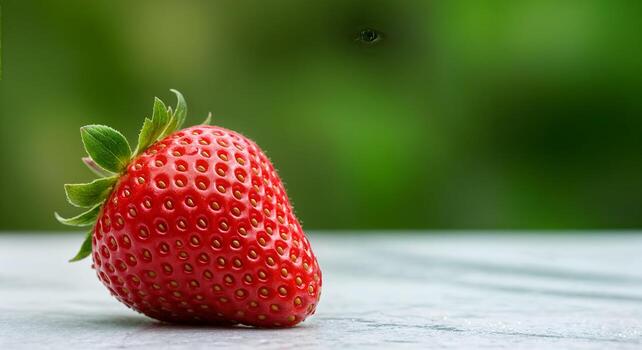
Image source: Vecteezy
Finally, the choice between RAW and JPEG editing is a defining factor in quality. RAW files contain all the data captured by the camera sensor, allowing for the recovery of details in "blown-out" highlights or deep shadows. JPEG files, conversely, are compressed and "baked," meaning much of that data is discarded to save space. For any project intended for high-quality print or professional display, working in a RAW-based, non-destructive environment is highly recommended.
A Hybrid Workflow for Creating Custom Brand Assets Efficiently
Creating unique brand visuals doesn't always require starting from a blank canvas. A "Hybrid Workflow" combines the realism of stock photography with the creative flexibility of AI. This method is widely considered one of the most effective ways to produce high-fidelity assets that don't look like "generic" AI art.
- Source a Base Image: Find a high-quality photo from a site like Unsplash that matches the composition and lighting you desire.
- Apply AI Transformation: Use an Image-to-Image tool to restyle the photo. For example, you can turn a standard office photo into a "cyberpunk" or "minimalist 3D" render that fits your brand's specific aesthetic.
- Refine with Smart Objects: Bring the AI output into a professional editor. Use Smart Objects to apply final color grades or text overlays, ensuring you can always go back and tweak the AI generation without losing your progress.
This workflow beats text-to-image generation because it provides a "ground truth" for the AI to follow. It ensures that human anatomy, perspective, and lighting remain grounded in reality while the AI handles the stylistic heavy lifting. This approach has become a top-tier option for marketing agencies needing to produce dozens of unique assets for a single campaign.
How to Fix Common Image Display and Software Integration Errors
Even with the best tools, technical bugs can stall a project. One documented issue in 2026 involves the Figma Copy-Paste Bug (specifically in Desktop App Version 125.6.4). Users often find that images won't copy when selected from the "Fill" panel in the properties sidebar. According to Figma community reports , the workaround is to select the image directly from the canvas or the layers panel before hitting copy.
In scientific and medical fields, researchers using software like Fiji or ImageJ often encounter "pixelated" images that look clear in other viewers. This is frequently a metadata interpretation error. If a 3-channel RGB file is misread as a 1-channel grayscale file, the software may fail to render the sub-pixel data correctly. As discussed on the Image.sc forum , ensuring your bit-depth settings (8-bit vs 16-bit) match the original capture is crucial for maintaining data integrity.
Frequently Asked Questions About Image Management
- How do I perform a reverse image search on a mobile phone?
- On most modern smartphones, you can long-press any image in your browser and select "Search Image with Google Lens." Alternatively, you can open the Google app, tap the camera icon in the search bar, and upload a photo from your gallery to find its source or similar visuals.
- What is the difference between an image, a photo, and a picture?
- An "image" is the broadest technical term for any visual representation. A "photo" specifically refers to an image captured by light on a sensor or film. A "picture" is a more casual, linguistic term that can refer to either, but often implies a physical or framed representation of a scene.
- Is AI-generated art copyright-free in 2026?
- The legal landscape is still evolving. In many jurisdictions, including the US, AI-generated images without significant human intervention cannot be copyrighted. However, using the "Hybrid Workflow" (where a human provides the base image and performs significant editing) often creates a "derivative work" that may be eligible for protection.
- Why do my images look blurry when I upload them to the web?
- This usually happens due to "upscaling." If you upload a small image and the website stretches it to fit a larger container, it will appear pixelated. Always ensure your image's native resolution matches or exceeds the display size. Additionally, check if your browser is struggling to render modern formats like WebP or AVIF.
- What are the four main types of digital image files?
- The most common formats are JPEG (best for photos), PNG (best for transparency), SVG (best for logos and icons as they are infinitely scalable), and WebP (a modern format that offers high quality at very small file sizes for web performance).
Key Takeaways for Modern Image Management
-
Use Advanced Search:
Leverage Google Lens and specific operators like
filetype:pngto find high-quality assets quickly. - Verify Licensing: Always distinguish between Creative Commons, Royalty-Free, and Rights-Managed to avoid legal complications.
- Adopt AI Workflows: Use Image-to-Image AI to transform existing photos into unique brand assets rather than relying on text prompts alone.
- Edit Non-Destructively: Utilize Smart Objects and Adjustment Layers to ensure you never permanently lose original pixel data.
- Master Technical Retouching: Learn Frequency Separation to handle professional skin and texture retouching without losing detail.
- Troubleshoot Smartly: If software like Figma or Fiji fails to display images correctly, check for metadata errors or specific version-based bugs.
- Prioritize RAW: For any project requiring high dynamic range, always shoot and edit in RAW format to maintain maximum detail.
Start by auditing your current image library and converting frequently used assets into a non-destructive format to ensure long-term quality and flexibility.

Is Photoshop Free on Web and How to Access It Without a Subscription
Get Photoshop free on web for 6 months. Learn about technical limits, AI features, and top browser-based alternatives like Photopea.
How to Download Images from Google Search and Google Photos on Any Device
Learn to download high-quality images from Google Search and Photos on any device, including batch methods, troubleshooting, and copyright tips.

How to Use ImgBB to Upload and Share Images for Free
Learn how to use ImgBB to upload images, generate BBCode, and fix the Service Not Available error. Compare privacy and file limits for ibb image.