
How to Play Music from Google Play Music and Find Your Migrated Library
Google Play Music (GPM) was officially discontinued on December 3, 2020 . The service has been replaced by YouTube Music . If you previously used GPM, your library was likely migrated to YouTube Music, where it resides in a specific "Uploads" tab. You can no longer use the legacy GPM app, but you can access your purchased and uploaded tracks through the YouTube Music app or web interface by navigating to Library > Songs > Uploads .
For many music enthusiasts, Google Play Music represented a unique era of digital audio. It offered a robust "music locker" that allowed users to store up to 50,000 of their own MP3 files in the cloud for free. However, as of 2026, the landscape has shifted entirely toward integrated streaming platforms. While the original application is no longer functional, the music you spent years collecting is often still accessible if you know where to look.
This guide explores the current reality of accessing your legacy library, troubleshooting the common errors that plague smart speakers, and identifying the top-tier alternatives that offer a similar experience to the beloved GPM interface.
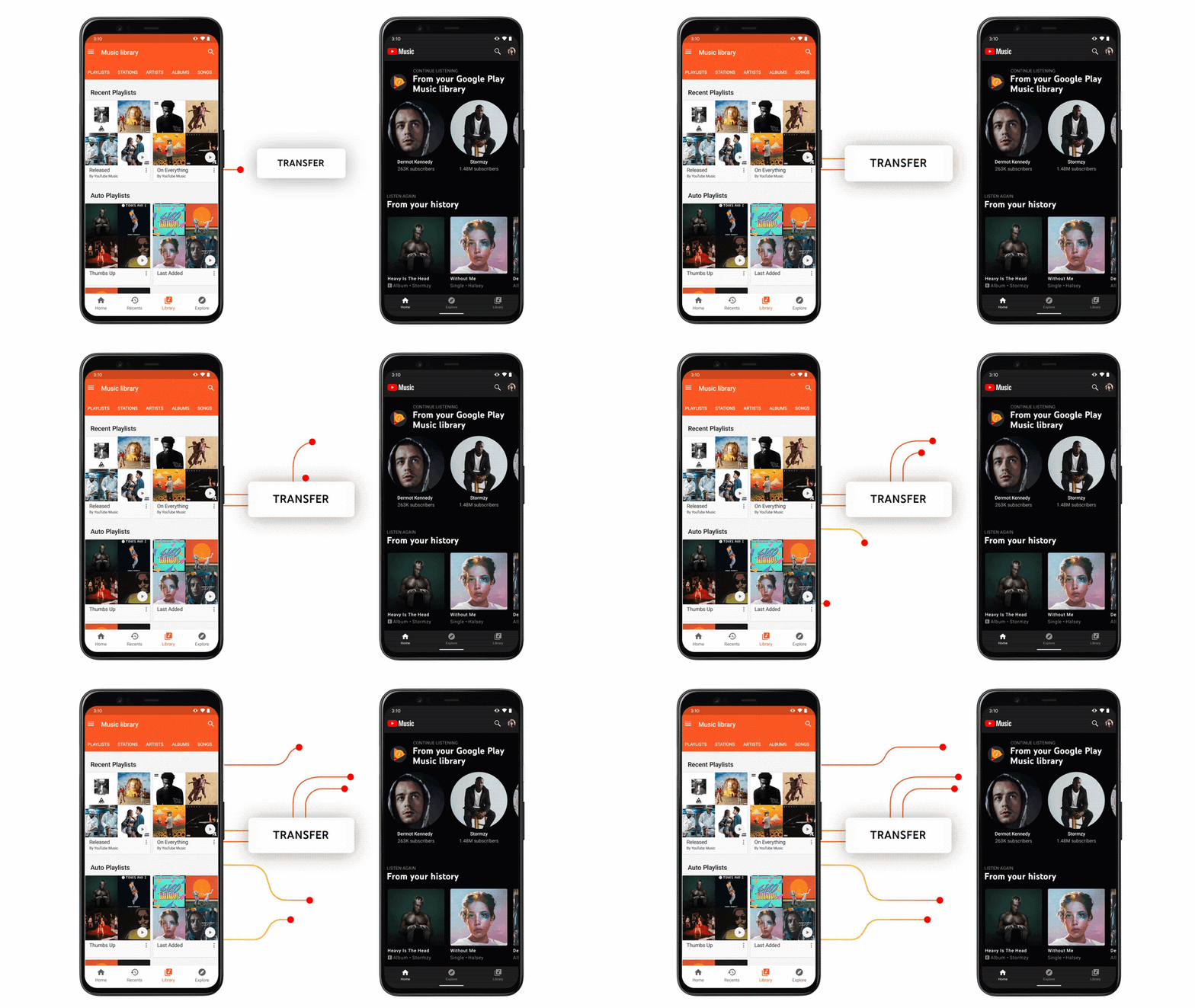
Image source: Failory
What Happened to the Google Play Music App?
The disappearance of Google Play Music wasn't just an app update; it was a complete server-side shutdown. Unlike local media players that function independently of the internet, GPM was a cloud-dependent client. When Google deactivated the servers in late 2020, the "brain" of the application was removed, leaving the interface as a hollow shell.
Many users today still attempt to bypass this by searching for legacy software versions. However, the technical reality makes this impossible. The Application Programming Interface (API) that the app used to communicate with Google's music database has been decommissioned. Even if you manage to install an older version of the app, it will simply hang on a loading screen or return a "Server Error" because there is no longer a destination for its data requests.
Websites offering "Google Play Music 2026 Downloads" or modified APKs are often distributing non-functional software or, worse, malware. Since the official servers are dead, no version of the app—no matter how it is modified—can log into your Google account or stream your music. Avoid these downloads to protect your device security.
According to historical data from Wikipedia , the service officially ended all operations on December 3, 2020. Since then, the app has been hard-coded to redirect users to YouTube Music or show a permanent "Google Play Music is no longer available" message.
How to Find Your Old Google Play Music Library in YouTube Music
One of the most frequent complaints from former GPM users is that their music "disappeared" after the migration. In reality, the music is usually there, but it is stored in a separate silo within the YouTube Music (YTM) interface. Google intentionally separated user-uploaded content from the general YouTube streaming catalog to maintain licensing boundaries.
If you completed the migration process before the 2021 deadline, your tracks are waiting for you. The key is knowing how to toggle the view from "YouTube Music" to your personal "Uploads."
Navigating the Uploads Tab Step-by-Step
- Open the YouTube Music app on your Android or iOS device.
- Tap on the Library icon located at the bottom right of the screen.
- Select either Songs , Albums , or Artists .
- Look at the top of the screen for a toggle or dropdown menu. By default, it will say "YouTube Music."
- Tap that toggle and select Uploads .
Once you switch to the Uploads tab, you should see your entire legacy library, including rare tracks, bootlegs, and personal recordings that aren't available on standard streaming services. YouTube Music currently allows for up to 100,000 uploads, which is a significant advancement over the original 50,000-song limit offered by GPM.

Image source: Google Play
Can You Still Recover Music if You Missed the Migration Window?
If you did not initiate the migration between 2020 and early 2021, the situation is more complex. Google officially stated that unmigrated cloud data was slated for permanent deletion once the transition period ended. However, there are still a few "last resort" methods to check if any of your data remains.
Using Google Takeout as a Last Resort
Google Takeout is a tool that allows users to export a copy of the content in their Google Account as a backup. While the active GPM servers are gone, some users have found success by requesting a download of their "Google Play Store" and "Google Account" data. This may occasionally include metadata or purchase history that can help you identify what you owned.
Additionally, you should check your Google Play Purchase History . If you bought digital albums through the Google Play Store (rather than just uploading them to the player), those purchases are tied to your Google account. While you can't play them in the GPM app, you can often find the receipts in your account settings, which may provide a path to re-downloading the files if the artist still has them listed on the Play Store.
"The official migration window is closed, and unmigrated content was slated for permanent deletion. Users should prioritize checking their local backups if the cloud migration was missed." — General Industry Consensus
How to Fix Google Home and Assistant Voice Command Errors
A lingering issue for many users in 2026 is the "Ghost Service" problem. This occurs when a Google Nest or Home speaker still attempts to trigger Google Play Music when you say, "Hey Google, play music." Because the service no longer exists, the Assistant often responds with an error or fails to play anything at all.
This happens because the legacy service is still set as the "Default Music Provider" in your Google Home settings. To fix this, you must manually update your preferences to a functional service like YouTube Music or Spotify.
Updating Your Default Music Provider
- Open the Google Home App on your smartphone.
- Tap on Settings (the gear icon).
- Scroll down to the "Services" section and tap on Music .
- You will likely see "Google Play Music" selected or listed as an option. Select YouTube Music (or your preferred active service) instead.
- If you want to play your uploaded GPM files specifically, you may need to use more precise language: "Hey Google, play my library on YouTube Music."
According to Google Assistant Help , manually setting your default provider is the most effective way to resolve legacy redirect errors. If the speaker still struggles to find your uploaded tracks, try creating a playlist within YouTube Music containing those songs. Assistant is often more successful at finding a named playlist than searching the "Uploads" silo for individual artists.
Top Free Alternatives for the Google Play Music Locker Experience
While YouTube Music is the official successor, many users find its interface cluttered compared to the streamlined experience of Google Play Music. If you are looking for a "spiritual successor" that focuses on personal file management and cloud storage, several options rank among the top choices in 2026.
| Feature | YouTube Music | iBroadcast | Plex (Self-Hosted) | Apple Music |
|---|---|---|---|---|
| Upload Limit | 100,000 Songs | Unlimited | Unlimited (HDD) | 100,000 Songs |
| Cost for Locker | Free | Free | Free (Basic) | Paid Subscription |
| Offline Play | Yes (Uploads) | Yes | Yes (Plex Pass) | Yes |
| Best For | Google Integration | GPM Purists | Privacy/Ownership | iOS Users |
iBroadcast stands out as a top-tier option for those who specifically miss the GPM "locker" feel. It allows you to upload your entire library to their cloud for free and stream it to any device. Unlike YTM, it doesn't mix your files with a massive video-streaming catalog, keeping the focus entirely on your personal collection.
For those who value ownership and want to avoid cloud-dependency altogether, Plex is a highly recommended solution. By hosting your music on a home computer or NAS (Network Attached Storage), you create your own private streaming service that no corporation can shut down.
Technical Specifications of the Legacy GPM Service
Understanding the technical constraints of the old service can help you manage your migrated files more effectively today. GPM was notably innovative for its time, but it had specific behaviors regarding file quality and device management.
- File Conversion Realities
- GPM converted all uploaded files (FLAC, ALAC, WMA) into 320 kbps MP3s for streaming. If you migrated to YouTube Music, your files are now typically served as 256 kbps AAC, which offers comparable audio quality at a more efficient bit rate.
- Device Authorization Limits
- The service had a strict 10-device limit. Users often had to manually "deauthorize" old phones to add new ones. YouTube Music has largely moved away from this restrictive model for uploaded content.
- Samsung Galaxy Exclusives
- At one point, Samsung Galaxy S7 and S8 users were granted a 100,000-song upload limit, which was double the standard 50,000. This 100k limit has now become the standard for all users on YouTube Music.
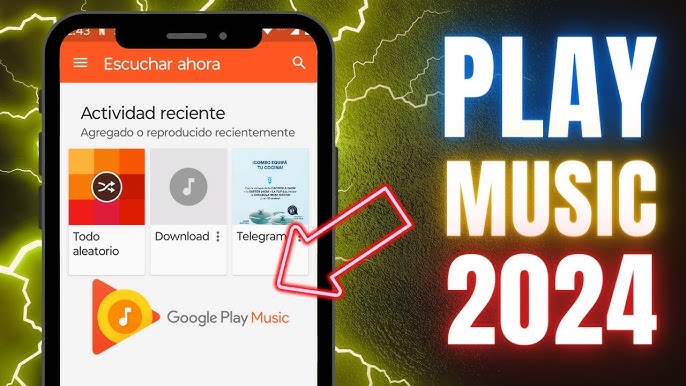
Image source: YouTube
Frequently Asked Questions
Can I still download the Google Play Music app?
You can technically find the APK on third-party sites, but it will not work. The app requires a connection to Google's servers, which were shut down in 2020. Installing it today will only result in an error message or a prompt to switch to YouTube Music.
Did I lose all the music I bought on Google Play?
Not necessarily. If you migrated your account to YouTube Music, your purchases should be in the "Uploads" tab. If you didn't migrate, you can check your Google Play Store purchase history to see if the files are still available for individual download, though the GPM player itself is gone.
How do I move my music from YouTube Music to another service?
Since Google doesn't provide a direct "Export" button for individual tracks within YTM, many users use third-party tools like Soundiiz or TuneMyMusic. For a full library backup, Google Takeout remains the most reliable method to get your raw MP3 files back onto your hard drive.
Why is my uploaded music not showing up on my smart speaker?
Smart speakers often default to the streaming catalog. To play your specific GPM uploads, you must explicitly ask for "my library" or "my uploads." Additionally, ensure that YouTube Music is set as your default provider in the Google Home app settings.
Is there a way to get the old GPM interface back?
There is no official way to restore the interface. However, some community-developed desktop players for YouTube Music offer "skins" or themes that mimic the orange-and-white aesthetic of the original Google Play Music player.
The Bottom Line
While the Google Play Music app is a relic of the past, your audio collection doesn't have to be. By understanding the new ecosystem, you can continue to enjoy your personal library for years to come.
- Stop using legacy APKs as they are non-functional and pose security risks.
- Check the Uploads tab in YouTube Music to find your migrated GPM files.
- Update Google Home settings to remove the defunct GPM as your default music provider.
- Use Google Takeout if you need to recover raw files for a new service.
- Consider iBroadcast if you want a free, dedicated music locker without the YouTube interface.
- Host your own server with Plex if you want total control over your music's future.
Start by opening your YouTube Music library today and switching the toggle to "Uploads" to verify that your collection is safe and sound.
-
Topic: YouTube Music - Apps on Google Playhttps://play.google.com/store/apps/details?id=com.google.android.apps.youtube.music&hl=en_US
-
Topic: Where is my Google Play Music? : r/googleplaymusichttps://www.reddit.com/r/googleplaymusic/comments/1078vyn/where_is_my_google_play_music/
-
Topic: Google Play Musichttps://en.wikipedia.org/wiki/Google_Play_Music
How to Listen to Free Music Online Without Downloading Any Apps or Software
Stream free music online without apps or sign-ups. Compare top ad-free sites like Jango and AccuRadio for any device.

Spotify - Web Player: Music for Everyone and How to Stream Anywhere
Stream music and podcasts in your browser with Spotify Web Player. Access login, mobile workarounds, and advanced search tips for 2026.

How to Choose the Best Music Player App for Your Offline Library
Find a top-rated music player app for Android and iOS. Compare ad-free MP3 players, FLAC support, and learn to sync your local library.