
When Did iOS 26 Come Out and How Can You Get the Latest Update?
Official Release Date: September 15, 2025.
Current Version: iOS 26.6.1 (Released August 17, 2026).
Next Major Version: iOS 27 (Expected September 2026).
iOS 26 is the current stable operating system for iPhone, introducing the "Liquid Glass" design language and the Apple Games app. It is available for iPhone 11 and newer models.
As of August 26, 2026, iOS 26 stands as the primary operating system for hundreds of millions of iPhone users worldwide. While many users were initially surprised by the sudden jump in version numbering from iOS 18 to iOS 26, the software has since matured into a highly stable platform. The current iteration, iOS 26.6.1 , represents the "Gold Master" of this cycle, offering the most polished experience before the transition to iOS 27 begins in earnest.
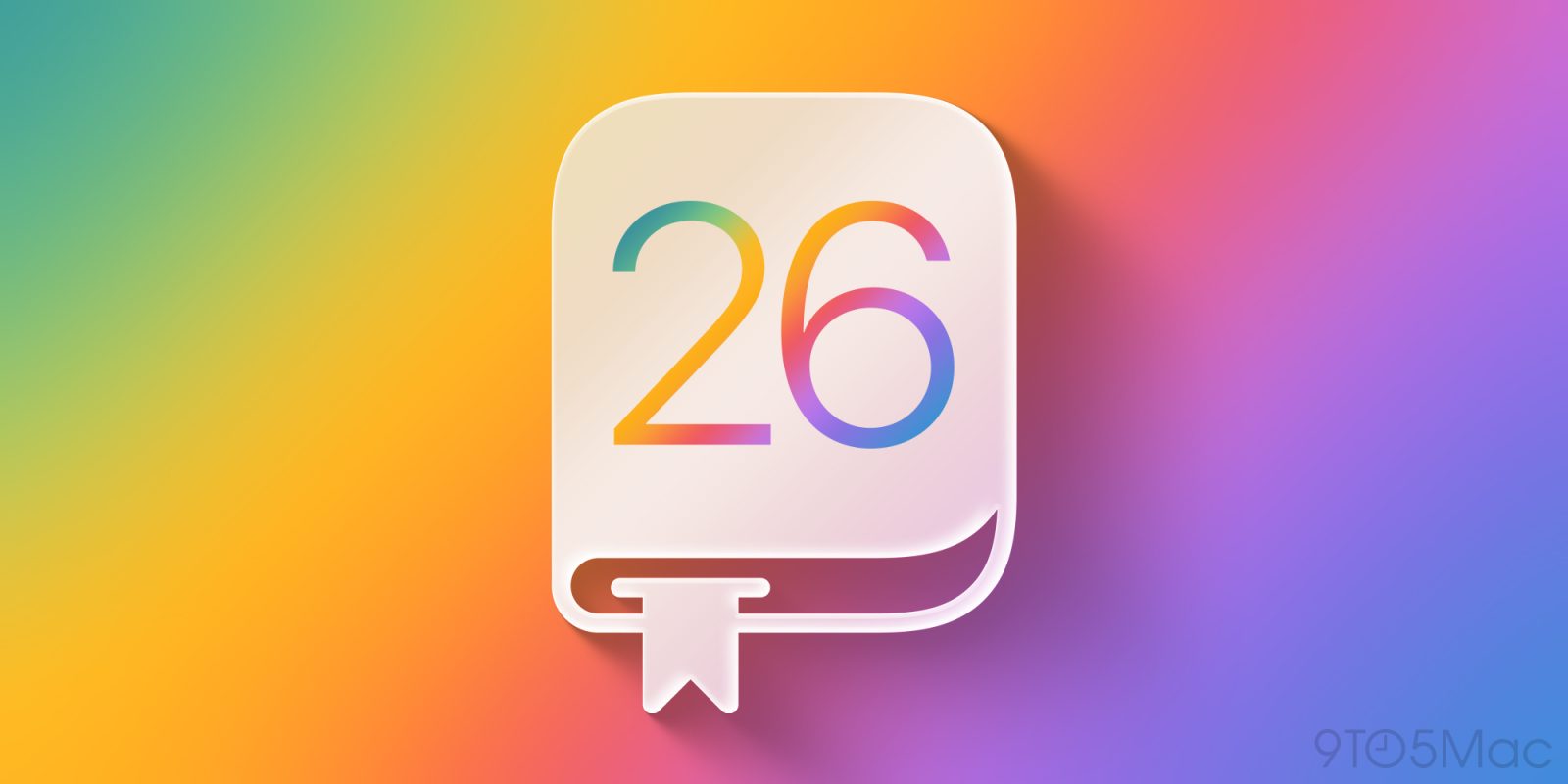
Image source: 9to5Mac
Why Did Apple Skip from iOS 18 Directly to iOS 26?
One of the most frequent questions regarding this release cycle is the logic behind the version number. Historically, Apple followed a sequential pattern (iOS 16, 17, 18). However, in 2025, the company made a strategic decision to align its software versioning with the calendar year. Since the update launched for the 2025-2026 season, it was designated as iOS 26.
This shift serves several practical purposes for the average user. First, it simplifies the ecosystem. Previously, a user might be running iOS 18, macOS 15, and watchOS 11, making it difficult to track which devices were on the "current" generation. By moving to a year-based system, Apple has synchronized versioning across all platforms. If it is 2026, your devices should ideally be running version 26 software. This move mirrors similar historical jumps in the tech industry, such as Microsoft's transition from Windows 8 to 10, but with a more utility-focused "Year = Version" rationale.
According to reports from 9to5Mac , this unification also helps developers manage cross-platform APIs more effectively. When a developer targets "Version 26," they are targeting a consistent set of features across the iPhone, Mac, and Vision Pro, reducing the friction of multi-device app deployment.
Which iPhone Models Support the iOS 26 Liquid Glass Update?
Apple has maintained a relatively broad compatibility window for iOS 26, though the hardware requirements for its more advanced features are stricter than in previous years. The baseline for this generation is the iPhone 11 . Devices older than the iPhone 11, including the iPhone XS and XR, do not support this version due to the Neural Engine requirements of the new UI.
Full Compatibility List
- iPhone 17 Series: Including the Pro, Pro Max, and the ultra-thin "iPhone Air."
- iPhone 16 Series: All models including Plus and Pro.
- iPhone 15 Series: Standard, Plus, Pro, and Pro Max.
- iPhone 14 Series: Including the 14 Plus and Pro models.
- iPhone 13 Series: Including the Mini and Pro models.
- iPhone 12 Series: Including the Mini and Pro models.
- iPhone 11 Series: The baseline supported hardware.
It is important to note that while the iPhone 11 can run the core OS, certain "Apple Intelligence" features and the "Adaptive Power Mode" are exclusive to newer hardware. Specifically, the A17 Pro chip (found in the iPhone 15 Pro) or newer is required to access the full suite of generative AI tools integrated into the system. The "Liquid Glass" UI, however, is available across the entire compatibility list, providing a fresh visual feel even for older devices.
How to Install iOS 26.6.1 on Your iPhone Today
If you are still running an older version of iOS or are currently on an early build of iOS 26, upgrading to version 26.6.1 is highly recommended for security and performance reasons. This build contains 77 specific security patches and addresses several long-standing bugs.
Standard Over-the-Air (OTA) Method
- Open the Settings app on your iPhone.
- Navigate to General and then Software Update .
- Wait for the device to ping Apple's servers. You should see "iOS 26.6.1" listed.
- Tap Download and Install . Ensure you are connected to Wi-Fi and have at least 50% battery (or are connected to a charger).
Solving the "Requesting Update" Hang-up
A common pitfall reported in Apple Support logs involves the update getting stuck on the "Requesting Update" screen. This often happens during peak traffic hours or when jumping directly from a much older version like iOS 18. If you encounter this, the most effective fix is to use a wired connection. Connect your iPhone to a Mac or PC, open Finder (or iTunes on Windows), and select "Check for Update." This bypasses the OTA server congestion and provides a more stable installation path.
What Are the Notable New Features in the iOS 26 Cycle?
iOS 26 is widely regarded as one of the most visually significant updates in recent years, primarily due to the introduction of the Liquid Glass design language. This aesthetic moves away from the "flat" design of the mid-2010s toward a more tactile, refractive interface.
Liquid Glass Design Language
Liquid Glass uses advanced physics-based rendering to make UI elements appear as if they are made of physical glass. Icons and windows now have a refractive quality, meaning they subtly distort the wallpaper behind them based on the angle at which you hold the phone. This is not just a static effect; it utilizes the iPhone's accelerometer and ambient light sensor to shift highlights and shadows in real-time, creating a sense of depth that sets a high standard for mobile interfaces.
The Apple Games App
For the first time, Apple has centralized gaming into a dedicated Apple Games app. This hub functions similarly to the TV app but for interactive entertainment. It integrates your App Store purchases, Apple Arcade titles, and even cloud gaming services into a single library. Key features include:
- Unified Controller Mapping: Set global button configurations for DualSense, Xbox, and MFi controllers.
- Game Mode 2.0: Automatically silences non-critical notifications and prioritizes CPU/GPU resources for the active game.
- Social Integration: A "Live Activity" that shows what your friends are playing and allows for instant multiplayer invites.
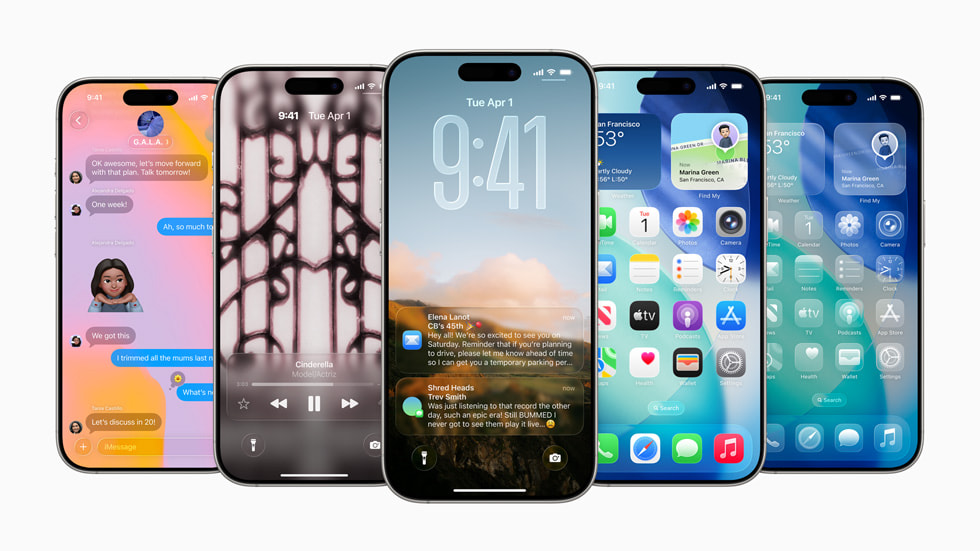
Image source: Apple
Spatial Scene Lock Screens
Building on the depth-effect wallpapers of previous versions, Spatial Scenes use advanced machine learning to separate subjects from backgrounds with near-perfect accuracy. The clock can now sit dynamically *behind* the subject of your photo, even if the photo wasn't taken in Portrait Mode. In iOS 26.6, this was expanded to support "Live Spatial Scenes," where the background elements (like clouds or water) exhibit subtle motion while the subject remains crisp and stationary.
How to Fix Common iOS 26 Problems and Glitches
While iOS 26.6.1 is exceptionally stable, the lifecycle of iOS 26 has not been without its challenges. Users have reported specific issues that are unique to this version's new architecture.
Solving the Siri Actor Glitch
One of the most discussed bugs in
Apple Discussion forums
is the "Siri Actor" glitch. Due to the increased sensitivity of the neural engine, Siri would occasionally trigger when hearing dialogue from a TV show or movie that sounded phonetically similar to the wake word.
The Fix:
Navigate to Settings > Siri & Search > Listen for. Instead of the generic "Siri or Hey Siri" setting, select "Hey Siri" specifically. This requires a more distinct acoustic fingerprint and significantly reduces accidental activations from background media.
Understanding Battery Color Coding
iOS 26 introduced a new way to visualize battery drain. In the Battery settings, you will now see Orange and Blue charts.
- Blue: Indicates typical usage patterns based on your historical data.
- Orange: Highlights "vampire" apps or high-usage periods that are significantly above your norm.
The iPhone Air Charging Bug
Users of the new, ultra-thin iPhone Air models reported an issue where the device would refuse to charge via a wired connection if the battery dropped below 2%. Version 26.6.1 specifically addresses this by recalibrating the handshake between the USB-C port and the battery controller. If you own an iPhone Air, this update is mandatory to ensure your device remains functional.
Should You Stay on iOS 26.6.1 or Upgrade to the iOS 27 Beta?
As we approach the end of the iOS 26 cycle, many users are tempted by the iOS 27 Beta. However, the choice between stability and novelty is a significant one. iOS 26.6.1 is currently the safest version for banking, enterprise work, and daily reliability.
| Feature | iOS 26.6.1 (Stable) | iOS 27 (Beta) |
|---|---|---|
| Stability | Exceptionally High | Low (Frequent Crashes) |
| Battery Life | Optimized | Unpredictable |
| UI Design | Liquid Glass (Polished) | Liquid Glass + AI Overlays |
| New Features | Apple Games, Spatial Scenes | Siri AI, Perimenopause Support |
| Security | 77 Recent Patches | Experimental |
For most users, staying on iOS 26.6.1 is the recommended path until the public release of iOS 27 in September 2026. The beta versions of iOS 27 are inherently risky and can lead to data loss or incompatibility with essential third-party apps. If you do choose to test the beta, ensure you have a full backup on a computer, as iCloud backups from iOS 27 cannot be restored to a device running iOS 26.
Frequently Asked Questions
Yes, iOS 26 has been available to the public since its official launch on September 15, 2025. As of August 2026, the current stable version is iOS 26.6.1, which can be downloaded by any user with a compatible iPhone (iPhone 11 or newer) via the Software Update menu in Settings.
Apple typically releases its software updates at 10:00 AM Pacific Time (1:00 PM Eastern Time). This allows their engineering teams in Cupertino to monitor the rollout during standard business hours. For global users, this usually translates to evening hours in Europe and early morning hours in Asia and Australia.
Generally, no. Apple stops "signing" older versions of iOS shortly after a new major version is released. Once the signing window for iOS 18 closed in late 2025, it became impossible to downgrade using standard methods. This is done to ensure all users have the latest security protections and to prevent fragmentation within the ecosystem.
Reception has been mixed-to-negative regarding battery life on older models like the iPhone 11 and 12. While the Liquid Glass UI is visually impressive, the constant refractive rendering requires more GPU cycles than the previous flat design. Users on older hardware may notice a 5-10% decrease in daily battery endurance compared to iOS 18.
The mid-cycle 26.6 update added eight new emojis to the standard keyboard. These include the orca (killer whale), a trombone, a landslide/rockfall icon, a finger-heart variation, and several new skin tone options for existing people emojis. These are based on the Unicode 17.0 standard.
The Bottom Line
- Release Date: iOS 26 officially launched on September 15, 2025 , following its announcement at WWDC.
- Current Status: The most stable and recommended version is iOS 26.6.1 , released in August 2026.
- Version Logic: The jump from 18 to 26 was made to align software versions with the calendar year (2025-2026).
- Visual Overhaul: The Liquid Glass UI is the standout feature, offering a refractive, motion-sensitive interface.
- Compatibility: You need an iPhone 11 or newer to run this OS; older devices are no longer supported.
- Gaming Focus: The new Apple Games app provides a centralized hub for all gaming content and controller settings.
- Stability Choice: Stick with iOS 26.6.1 for daily use rather than switching to the experimental iOS 27 Beta.
If you haven't already, check your Settings today to ensure you are running version 26.6.1 for the most secure and polished iPhone experience currently available.
How to Upgrade iPhone Software to the Latest Version of iOS
Learn how to upgrade iPhone software to iOS 26. Fix stuck updates, manage storage, and discover new features like Visual Intelligence and Genmoji.

How to Backup Your iPhone to iCloud and Keep Your Data Safe
Backup your iPhone to iCloud manually or automatically. Fix storage errors, use 5G, and get temporary free space for new phones. Current 2026 tips.

How to Record Your iPhone Screen With or Without Audio
Learn to record your iPhone screen with audio. Fix missing buttons, black screens, and iOS 18 bugs on iPhone 16 and older models.