
How to Access Your AOL Mail Inbox and Fix Common Login Problems
Accessing your email should be a straightforward process, yet many users searching for "www aol com mail email" encounter technical hurdles ranging from forgotten passwords to interface freezes. As of 2026, AOL Mail remains a significant player in the communication space, particularly for users who value its long-standing reliability and integrated news features. However, the platform has evolved significantly under its parent company, Yahoo Inc., introducing new security protocols like Passkeys and advanced IMAP configurations that differ from legacy settings.

Image source: login.aol.com
Where Do I Go to Sign In to My AOL Account?
The primary destination for all AOL users is the official AOL Login Page . While many users still type "www.aol.com" into their browser, navigating directly to the mail subdomain often bypasses unnecessary homepage clutter and latency. It is important to note that because AOL is part of the Yahoo Inc. family, you may occasionally see "Yahoo" branding or be prompted to "Sign in with Google" on the authentication screen. This is a legitimate federated login system designed to simplify account management across multiple platforms.
For users outside the United States, regional login nodes are often utilized to ensure faster load times and proper localized content. For instance, users in the United Kingdom or Canada might be redirected to specific regional URLs. If you find yourself on a page that looks slightly different but is hosted on an
aol.com
or
yahoo.com
domain, it is generally safe to proceed. However, always verify the URL in your browser's address bar to ensure you are not on a phishing site.
mail.aol.com
instead of the main homepage. This takes you directly to the inbox authentication flow, saving time and reducing data usage on mobile connections.
How to Set Up Passkeys for Faster Biometric Login
One of the most significant advancements in account security recently is the shift toward Passkeys. AOL has adopted this technology to help users move away from traditional passwords, which are often vulnerable to phishing and data breaches. According to AOL Help documentation , Passkeys allow you to sign in using the same biometric data you use to unlock your phone or computer, such as Face ID, Touch ID, or a secure PIN.
Setting up a Passkey ranks among the top ways to secure your account. Because there is no actual "password" being transmitted over the internet, hackers cannot steal your credentials through traditional means. To enable this feature, follow these steps:
-
Log in to your account at
login.aol.comusing your current password. - Navigate to the Account Security tab within your profile settings.
- Select the Passkeys option and click "Create a Passkey."
- Follow the on-screen prompts from your device (e.g., scanning your face or fingerprint).
- Confirm the setup. The next time you log in, you will simply be prompted for your biometric ID.
Why Does the AOL Login Page Keep Hanging or Freezing?
A common frustration reported in community forums involves the AOL interface "hanging" or freezing during the login process. This issue often manifests as a spinning loading icon that never resolves or a white screen after entering your username. Based on user reports from the AOL Help Hub , these "sign-in loops" are frequently caused by corrupted browser cache or conflicting third-party extensions.
To resolve a hanging interface, consider the following browser-level fixes:
-
Clear Specific Cookies:
Instead of clearing your entire browser history, go to your browser settings and search for "cookies." Delete only those associated with
aol.comandyahoo.com. - Disable Aggressive Ad-Blockers: Some ad-blockers identify the scripts used by the "New AOL Mail" interface as tracking elements and block them, causing the page to break. Try whitelisting AOL to see if performance improves.
- Check JavaScript Settings: Ensure that JavaScript is enabled in your browser, as the modern AOL Mail interface relies heavily on it for dynamic content loading.
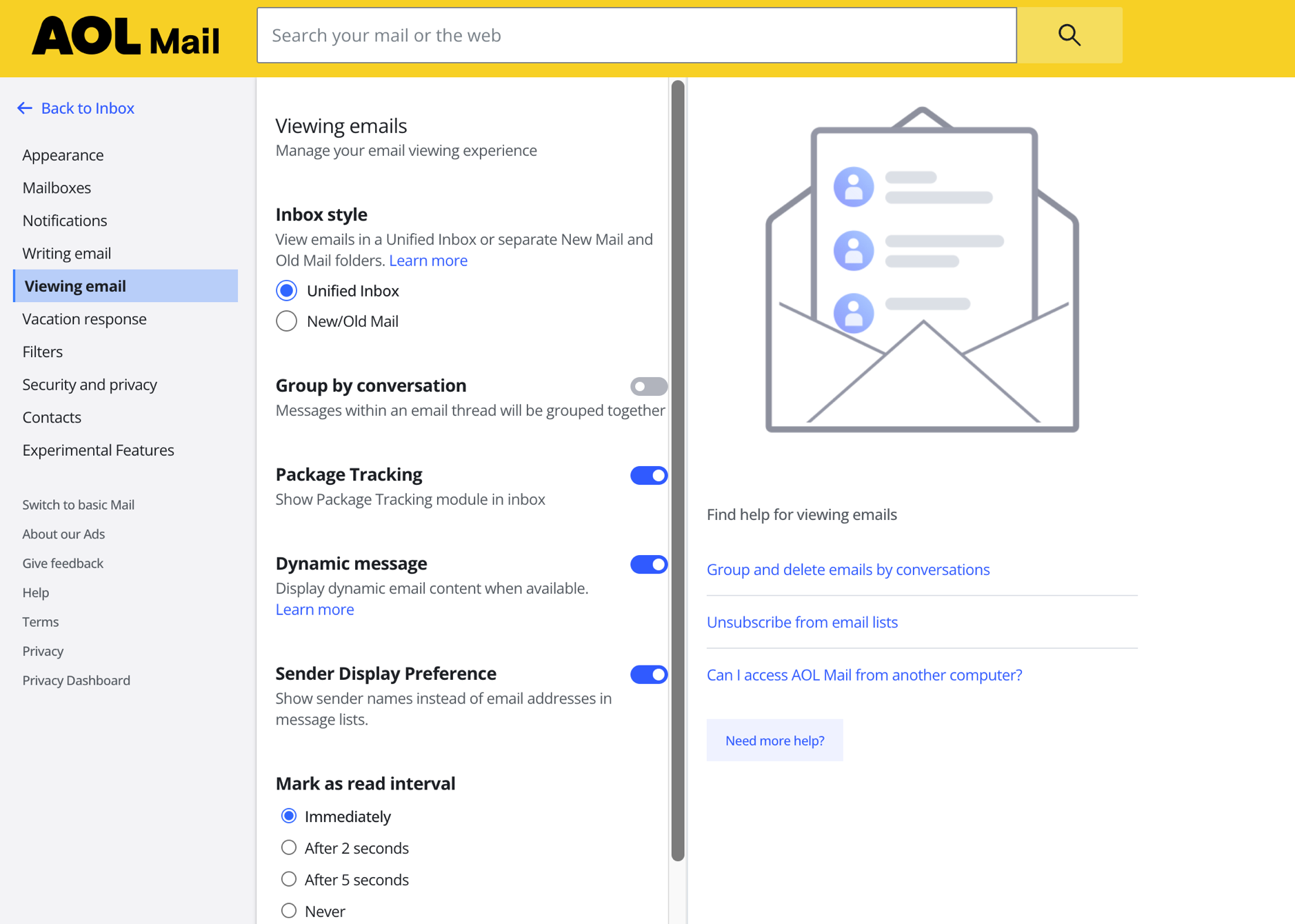
Image source: AOL Help
How to Sync AOL Mail with Outlook or Apple Mail
While the web interface is a popular choice for many, power users often prefer dedicated email clients like Microsoft Outlook or Apple Mail. These applications offer offline access and a unified inbox for multiple accounts. However, simply entering your AOL password into these apps often results in an "Authentication Failed" error. This is because AOL requires a unique App Password for third-party integrations.
An App Password is a 16-character code that gives a non-AOL app permission to access your account without knowing your primary password. You can generate this in your Account Security settings. Additionally, you must ensure your IMAP and SMTP settings are configured correctly to allow for two-way syncing between your devices.
Use These IMAP Settings for Desktop Apps
| Setting Type | Value to Enter |
|---|---|
| Incoming Mail Server (IMAP) | imap.aol.com |
| Port Number | 993 |
| Requires SSL | Yes |
| Username | Your full email address (e.g., name@aol.com) |
Use These SMTP Settings for Sending Mail
| Setting Type | Value to Enter |
|---|---|
| Outgoing Mail Server (SMTP) | smtp.aol.com |
| Port Number | 465 or 587 |
| Requires SSL/TLS | Yes |
| Authentication Required | Yes |
What Should I Do if I Lost Access to My Recovery Phone Number?
Losing access to a recovery phone number is a significant obstacle for many users. If you are locked out and cannot receive a verification code, the recovery process becomes more complex. AOL's security policies are strict to prevent unauthorized access, but there are still paths forward. First, check if you have a secondary email address linked to the account. If so, you can choose "Try another way" during the login prompt to send the code there.
If you have no secondary recovery methods, you may need to contact official support. Be aware that AOL reserves the right to deactivate accounts after prolonged periods of inactivity, according to AOL's service terms . If an account has been inactive for several years, the data may have been purged, making recovery impossible. For active accounts, you can reach out to the following verified numbers:
- General Support: 800-730-2563
- Premium/Paid Support (AOL Desktop Gold): 800-290-4726
How to Tell the Difference Between Real AOL Emails and Scams
Phishing attempts targeting AOL users have become increasingly sophisticated. A common trend involves "Subscription Expired" scams, where users receive an email claiming their AOL account or "Desktop Gold" subscription will be terminated unless they click a link to provide payment details. These emails often look remarkably authentic, using official logos and professional formatting.
To protect yourself, always check the "From" address. A legitimate email from AOL will typically come from an
@aol.com
or
@yahoo-inc.com
domain. If the address looks like a random string of characters or uses a generic provider like Gmail, it is a scam. Furthermore, official communications will never ask you to "verify" your password by clicking a link in an email. Instead, they will direct you to log in through the official portal independently.

Image source: Google Play
Managing Your Inbox with the New AOL Mail Features
The modern iteration of AOL Mail includes several features designed to compete with other top-tier providers. One of the most useful is the "Views" functionality. This allows you to filter your inbox contextually, showing only photos, documents, or travel-related emails (like flight confirmations and hotel receipts) with a single click. This is particularly helpful for users who receive a high volume of newsletters and want to find specific attachments quickly.
Additionally, the AOL mobile app now supports a "Unified Inbox" style, allowing you to add accounts from other providers like Gmail or Outlook. This makes the AOL app a strong contender for your primary mobile mail hub. To ensure the best experience, verify that your device meets the minimum system requirements; as of late 2026, the web interface is optimized for the latest versions of Chrome, Safari, and Edge, while the mobile app requires iOS 16 or Android 12 and above.
Frequently Asked Questions
- How do I reset my AOL password if I forgot it?
- Navigate to the login page and select "Forgot username?" or "Forgot password?". You will be prompted to enter your email address and then choose a recovery method, such as a text message to your linked phone or an email to your secondary address. If you have Passkeys enabled, you can simply use your biometric ID to regain access.
- Is AOL Mail free to use in 2026?
- Yes, the standard AOL Mail service remains free for all users. This includes access to the web interface, the mobile app, and standard security features. However, AOL also offers a paid subscription called "AOL Desktop Gold," which provides an all-in-one software experience with enhanced security and premium customer support.
- Why am I not receiving emails in my AOL inbox?
- First, check your "Spam" folder to ensure legitimate mail wasn't misidentified. If that doesn't solve it, review your "Filters" and "Blocked Senders" list in the settings menu. Occasionally, a full mailbox can also prevent new messages from arriving, though AOL offers generous storage limits that few users exceed.
- Can I use my AOL email to sign in to Yahoo services?
- Because AOL and Yahoo are part of the same company, many of their services are integrated. While you generally use your AOL credentials for AOL-branded sites, the underlying authentication system is shared. You may see options to link your accounts for a more seamless experience across news, finance, and sports portals.
- How do I delete my AOL account permanently?
- To terminate your account, you must visit the "Account Termination" page within your profile settings. Be aware that deleting your account will result in the permanent loss of all emails, contacts, and associated data. There is typically a grace period during which you can reactivate the account if you change your mind.
- Does AOL Mail work on the latest iPhone and Android devices?
- Absolutely. The AOL app is regularly updated to support the newest hardware, including the iPhone 17 and the latest flagship Android devices. You can also use the native Mail app on these devices by configuring the IMAP settings mentioned earlier in this guide.
The Bottom Line
Accessing and managing your AOL Mail account in 2026 is a balance of utilizing modern security features and knowing how to troubleshoot legacy issues. By following these key takeaways, you can ensure a smooth experience:
-
Always use official URLs
like
login.aol.comto avoid phishing risks and latency. - Enable Passkeys to replace vulnerable passwords with secure biometric authentication.
- Clear specific cookies if you encounter a "hanging" interface or sign-in loop.
- Generate an App Password when syncing your mail with third-party clients like Outlook.
- Verify sender addresses carefully to distinguish between real AOL alerts and subscription scams.
- Keep recovery info updated , including your phone number and secondary email, to prevent permanent lockout.
Take a moment today to visit your Account Security settings and ensure your recovery methods are current to avoid any future access issues.

What Is YMailNorrin and Why Does It Appear in Your Yahoo Mail?
Learn what YMailNorrin means in headers, how to fix norrinuser login errors, and how forensic experts verify email authenticity.


How to Sign In to Your MSN Email Account and Fix Common Login Problems
Access your @msn.com email. Fix login loops, recover old accounts, and manage Microsoft storage with this troubleshooting guide.


How to Use the inurl: Search Operator for SEO Audits and Site Security
Learn to use the inurl: operator for SEO audits and security. Fix errors and master advanced search strings for 2026.