
How to Call Your Voicemail on Any Phone or Carrier
If you need to check your messages immediately, use these two standard methods:
- Android Open the Phone app , tap the Dialpad , and press and hold the "1" key .
- iPhone Open the Phone app and tap the Voicemail tab in the bottom right corner.
- Remote Dial your full number from another phone, press * or # during the greeting, and enter your PIN.
Finding yourself with a "New Voicemail" notification but no clear way to listen to it is a common point of friction for modern smartphone users. As carriers shift toward Visual Voicemail and AI-driven summaries, the traditional method of "calling" your inbox has become less intuitive. Whether you are using a brand-new device or trying to access messages from a landline, the process remains straightforward once you know the specific shortcuts for your platform.
According to Google Phone App Help , the methods for accessing these messages vary significantly between carriers and operating systems. This guide provides a comprehensive breakdown of every access method available as of August 2026, including troubleshooting for common errors like the "Ghost Full Mailbox" and carrier-specific gateway codes.
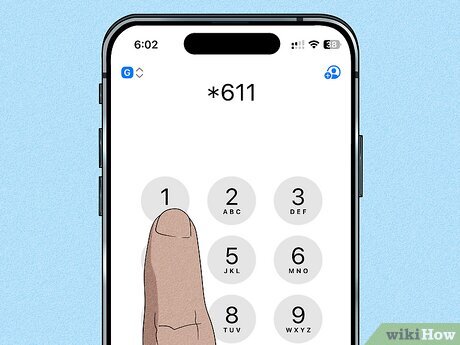
Image source: wikiHow
Accessing Voicemail on an Android Device
Android devices, including those from Samsung, Google, and Motorola, generally follow a standardized protocol for voicemail access. While the interface may look different depending on your "skin" (like Samsung's One UI or Google's Pixel UI), the underlying shortcuts are remarkably consistent across the ecosystem.
The Universal Hold 1 Shortcut
The most reliable way to call your voicemail on Android is the "Hold 1" method. This shortcut has been a staple of mobile telephony for decades and remains active on virtually all GSM and CDMA networks. To use it:
- Open the Phone app (the icon usually looks like a handset).
- Select the Dialpad or Keypad view.
- Touch and hold the number 1 . You will notice a small voicemail icon often sits just below the number.
- The phone will automatically dial your carrier's voicemail access number.
This method is particularly useful if your Visual Voicemail is failing to load due to poor data connectivity, as it uses a standard voice call rather than a data packet to retrieve the audio.
Checking Messages via the Notification Shade
When you receive a new message, Android generates a notification. Swiping down from the top of the screen reveals the notification shade. Tapping the "New Voicemail" alert will typically trigger the auto-dialer or open your Visual Voicemail app directly. If the notification persists after you have listened to the message, it may indicate a sync issue between your device and the carrier's server.
Using the Visual Voicemail App
Many modern Android users on carriers like T-Mobile, Google Fi, and AT&T have access to Visual Voicemail (VVM) . Instead of calling a number and listening to a menu, VVM displays your messages in a list, similar to an email inbox. You can play, pause, and delete messages in any order. If your phone did not come with this pre-installed, you can often download your carrier's specific VVM app from the Google Play Store.
Checking Your Voicemail on an iPhone
Apple has integrated voicemail deeply into the iOS Phone app, moving away from the "dial-in" model early in the iPhone's history. However, the system has evolved significantly with the introduction of Apple Intelligence in 2026.
Navigating the Dedicated Voicemail Tab
On an iPhone, you rarely need to "call" your voicemail in the traditional sense. By navigating to the Phone app and selecting the Voicemail tab in the bottom right corner, you can view a list of all recorded messages. Apple Support notes that if you have multiple lines (Dual SIM), you can filter these messages by line to keep business and personal communications separate.
Reading AI Summaries with Apple Intelligence
As of 2026, iPhone users in supported regions benefit from automated summaries. When a caller leaves a message, Apple Intelligence processes the audio locally on the device to provide a concise text summary directly in the Voicemail tab. This allows you to understand the intent of the call—such as a delivery notification or an appointment reminder—without having to listen to the entire audio file. This feature represents a significant advancement in how we manage voice communications.
Image source: YouTube
How to Call Your Voicemail From a Different Phone
There are many scenarios where you might need to check your messages without your primary device—perhaps your battery died, you lost your phone, or you are in an area with no cellular reception but have access to a landline. Accessing your inbox remotely is a standard feature for most major carriers.
To access your voicemail from another phone, follow these steps:
- Dial your full 10-digit mobile phone number from any other phone.
- Allow the call to go to voicemail.
- As soon as you hear your own greeting start to play, press the * (star) or # (pound) key. The specific key depends on your carrier (see the table below).
- When prompted, enter your voicemail PIN followed by the # key.
- Follow the audio prompts to listen to or delete your messages.
Carrier Access Codes and Gateway Numbers
While the "Hold 1" shortcut is nearly universal, some carriers and VoIP providers use specific shortcodes or gateway numbers. This directory consolidates the most common access methods for major US providers as of 2026.
| Carrier / Provider | Primary Access Code | Remote Access Key | Alternative Method |
|---|---|---|---|
| Verizon Wireless | *86 | # | Dial your number, press # |
| AT&T | Hold 1 | * | Dial your number, press * |
| T-Mobile | Hold 1 | * | Dial your number, press * |
| Consumer Cellular | Hold 1 | * | Call (888) 766-0921 |
| Google Voice | App Access | * | Dial GV number, press * |
| RingCentral | *86 | * | Dial extension from menu |
Accessing Business and Virtual Voicemail Systems
Business environments often utilize Voice over IP (VoIP) systems that function differently than standard consumer cellular plans. These systems are designed for high-volume management and often integrate with email or Slack.
Checking Google Voice Messages
Google Voice is a popular choice for those who want a secondary number without a second SIM card. To check these messages, you can simply open the Google Voice app. However, if you are calling from a linked number, you can dial your own Google Voice number to reach the audio menu. According to community insights on Reddit , you must ensure that "Call to listen" is enabled in your settings to bypass the standard greeting when calling from your own phone.
Accessing RingCentral and VoIP Systems
For those using professional systems like RingCentral , voicemail is often handled as a data packet. From a desk phone, you typically dial *86 . If you are off-site, you can dial your direct business line and press * during the greeting. Most modern VoIP systems also offer "Voicemail to Email," where an MP3 of the message is sent directly to your inbox, eliminating the need to call in entirely.
Why Your Voicemail Isn't Working and How to Fix It
Even when you follow the correct steps, technical glitches can prevent you from hearing your messages. Troubleshooting these issues requires understanding the difference between your phone's software and the carrier's server.
The Ghost Full Mailbox Problem on iPhone
A frequent complaint among iPhone users is receiving a "Voicemail is full" error even after deleting all visible messages. This occurs because iOS moves deleted messages to a "Deleted Messages" folder rather than erasing them from the carrier's server immediately. To fix this:
- Open the Phone app > Voicemail .
- Scroll to the bottom and tap Deleted Messages .
- Tap Clear All in the top right corner.
This action forces the carrier to purge the data, truly freeing up space in your inbox.
Troubleshooting Third-Party App Conflicts
If you use third-party SMS or dialer apps (such as Handcent or specialized call blockers), they may interfere with the Visual Voicemail system. These apps sometimes "hijack" the data connection used to sync messages. If your VVM stops updating, try disabling any third-party messaging apps to see if the stock functionality returns. Many users have found that toggling the "Disable stock SMS" setting in these apps can resolve the conflict.
How to Re-Sync a Stalled Voicemail System
On legacy networks or MVNOs (Mobile Virtual Network Operators), the connection between the device and the voicemail server can occasionally "stall." A community-recommended trick for forcing a re-sync is to send a blank text message to a specific carrier activation address. For example, legacy Sprint users often resolved VVM issues by sending a text to
activate@vvm.sprint.com
. While less common in 2026, a similar effect can often be achieved by toggling Airplane Mode on and off or resetting your Network Settings.
How to Reset a Forgotten Voicemail PIN
If you are locked out of your inbox because you cannot remember your PIN, you generally cannot reset it by calling the voicemail number itself. Instead, you must use your carrier's account management tools.
- iPhone Settings: Go to Settings > Phone > Change Voicemail Password . This works if your carrier supports Apple's integrated password management.
- Carrier Apps: Use the "MyVerizon," "myAT&T," or "T-Mobile" apps. Look under "Account Settings" or "Device Settings" to find the PIN reset option.
- Customer Service: As a last resort, calling your carrier's support line (usually 611 from your mobile) will allow a representative to reset the PIN to a temporary default after verifying your identity.
Pro Tips for Leaving and Managing Messages
Managing your own voicemail is only half the battle; knowing how to interact with others' systems can save you significant time.
How to Bypass Long Greetings
We have all experienced the frustration of calling someone only to be met with a 45-second greeting explaining that they are not available. You can often skip this recording and go straight to the "beep" by pressing a specific key as soon as the recording starts:
- Verizon/T-Mobile: Press # .
- AT&T/Sprint: Press * .
This is a highly efficient way to leave a quick message without wasting nearly a minute of airtime.
The Headline Technique for Professional Messages
With the prevalence of Visual Voicemail and AI transcriptions, the way you leave a message should change. Start your message with a 5-second "headline" (e.g., "Hi, this is Jane calling about the Tuesday contract"). Because VVM often only shows the first few lines of a transcript in the notification, this ensures your recipient knows exactly why you called without even opening the app.
Key Takeaways
- Hold "1" is the most reliable shortcut for Android users to call their inbox.
- iPhone users should use the dedicated Voicemail tab for the most integrated experience.
- Remote access is possible by dialing your number and pressing * or # during the greeting.
- Clear "Deleted Messages" on iPhone to fix the common "Voicemail is full" error.
- Skip greetings by pressing # or * when calling others to save time.
- Reset your PIN through your phone's settings or carrier app rather than the dial-in menu.
For the best results, check your voicemail settings today to ensure your PIN is secure and your Visual Voicemail is fully activated.
Frequently Asked Questions
- Why does my phone say "Voicemail number unknown"?
- This error typically occurs when the voicemail access number is not programmed into your SIM card. You can usually fix this by going to your Phone app settings, selecting "Voicemail," and manually entering your carrier's access number (such as *86 for Verizon).
- Does calling my voicemail use my monthly minutes?
- If you dial into your voicemail (by holding 1 or dialing *86), it typically counts as a standard voice call and consumes airtime minutes. However, using Visual Voicemail on an iPhone or Android uses a small amount of cellular data instead of voice minutes.
- Can I check my voicemail online from a computer?
- Yes, many carriers allow this. Verizon and AT&T offer online portals where you can log in to your account and listen to messages. Virtual services like Google Voice and RingCentral are designed specifically for web-based access via their respective dashboards.
- What is the default PIN for a new voicemail account?
- While it varies by carrier, the most common default PINs are the last four digits of your phone number, "0000," or "1234." You will almost always be prompted to create a new, secure PIN the first time you set up the mailbox.
- How do I turn off my voicemail entirely?
- Most phones do not have a "toggle" to disable voicemail. To turn it off, you generally must contact your carrier's customer support and ask them to remove the "Voicemail Feature" from your account line.
-
Topic: How to check your voicemail - Phone app Helphttps://support.google.com/phoneapp/answer/2811844?hl=en
-
Topic: How to Open your Voice Mail on Android Phone if you can't find ...https://www.youtube.com/watch?v=vov1lynFabs
-
Topic: How To Check Voicemail On Androidhttps://www.youtube.com/watch?v=2PaSgWBTYEg

How to Get and Check Your Voicemail on Any Phone or Carrier
Access voicemail on iPhone, Android, and landlines. Fix common errors, set up your mailbox, and check messages remotely with this expert guide.


How to Silence Unknown Callers on iPhone and Stop Spam for Good
Stop spam calls on iPhone. Learn to silence unknown numbers, fix Mac ringing, and use iOS 18 shortcuts to stay productive.


How to Block Your Number When Calling from Any Smartphone or Landline
Learn to hide caller ID using *67, iPhone/Android settings, and carrier tools. Includes international codes and privacy tips for texting.