
How to Use a Browser in a Browser Proxy to Manage Multiple Identities Safely
- What is BitB?
- Proxy vs. Browser
- Preventing DNS Leaks
- Chromium CLI Setup
- Firefox Privacy
- Top Proxy Browsers
- Testing Your Setup
What Is a Browser in a Browser Proxy and Why Do You Need One?
In the modern digital landscape, simply changing your IP address is no longer sufficient for true anonymity or multi-accounting. A browser in a browser proxy represents an execution environment where the browser is isolated from the local OS, using a proxy for the transport layer. This distinction is critical: a proxy server only moves data (transport), while a proxy browser handles how that data is generated (execution), including cookies, headers, and hardware identifiers.
According to research into modern web traffic, over 53% of internet activity is now bot-driven, with "bad bots" accounting for roughly 40% of all requests [Source 2] . This has forced major platforms to implement aggressive fingerprinting techniques. They don't just look at your IP; they look at your screen resolution, installed fonts, battery status, and even the way your graphics card renders specific images (Canvas fingerprinting).
The primary use cases for a BitB setup include:
- Multi-Accounting: Managing dozens of social media or e-commerce profiles without them being linked by shared hardware IDs.
- Secure Web Scraping: Emulating real user behavior to avoid being blocked by sophisticated anti-bot services.
- High-Security Sandboxing: Running a browser in a remote container (like Kasm) so that malicious code never touches your local machine.
How a Proxy Browser Differs from a Standard Web Proxy
It is common for users to confuse "web proxies" with "proxy browsers." While they share the goal of masking identity, their technical implementations offer vastly different levels of protection. A web proxy typically operates within a single tab, often using an iframe to load content. This method is prone to broken scripts and offers zero protection against fingerprinting.
In contrast, a dedicated proxy browser is a standalone software package—often based on Chromium—that allows you to create distinct profiles. Each profile has its own set of cookies, cache, and hardware signatures. This ensures that even if you use the same proxy for two different accounts, the website sees two entirely different computers [Source 6, 8] .
| Feature | Web Proxy (Tab) | Proxy Browser (App) | Virtualized Browser (BitB) |
|---|---|---|---|
| IP Masking | Yes | Yes | Yes |
| Fingerprint Spoofing | None | Advanced (50+ attributes) | Complete (Remote OS) |
| DNS Leak Protection | Poor | High (Configurable) | Absolute |
| Isolation Level | Tab-level | Profile-level | OS-level (Container) |
Why Standard Proxies Often Fail to Keep You Anonymous
The most common point of failure in a proxy setup is the DNS leak . Even if your browser is configured to use a proxy for HTTP/HTTPS traffic, the underlying operating system may still send DNS queries to your ISP's servers. This allows your ISP to see every domain you visit, even if they cannot see the specific content of the pages.
Furthermore, the SNI (Server Name Indication) extension during the TLS handshake often transmits the hostname in plain text. If your proxy isn't handling the handshake correctly, your destination is visible to anyone monitoring the network [Source 7] . This is why technical users prefer SOCKS5 proxies over SOCKS4; SOCKS5 is capable of routing DNS queries through the proxy server itself, provided the client is configured to request "remote DNS."
How to Set Up a Proxy Browser Using Chromium Command Line Flags
For developers and power users, you don't always need a paid anti-detect browser to achieve isolation. Chromium (the engine behind Chrome, Edge, and Brave) supports a wide array of command-line flags that allow you to launch a "browser in a browser" instance with its own proxy and data directory.
Step-by-Step CLI Configuration
To launch a completely isolated instance of Chrome with a dedicated proxy, use the following command structure in your terminal or command prompt:
- --proxy-server
- Tells the browser to route all traffic through the specified SOCKS5 or HTTP proxy.
- --user-data-dir
- Forces the browser to use a fresh folder for cookies, cache, and local storage, preventing "cookie leaking" between sessions.
- --host-resolver-rules
- This is the "DNS Leak Killer." It forces all DNS lookups to fail locally, ensuring they are handled by the proxy server [Source 7] .
How to Configure Firefox for Maximum Proxy Privacy
Firefox is often preferred by privacy enthusiasts because it offers deeper access to internal network settings via the
about:config
menu. Unlike Chromium, which relies heavily on system-level proxy settings, Firefox can be configured to be entirely self-contained.
Essential Firefox Privacy Toggles
-
Type
about:configin the address bar and click "Accept the Risk and Continue." -
Search for
network.proxy.socks_remote_dnsand set it to true . This ensures the proxy handles DNS queries. -
Search for
media.peerconnection.enabledand set it to false . This disables WebRTC, which is a common source of IP leaks even when using a proxy. -
Search for
privacy.resistFingerprintingand set it to true . This enables a suite of protections that make your browser look like a generic version of Firefox.
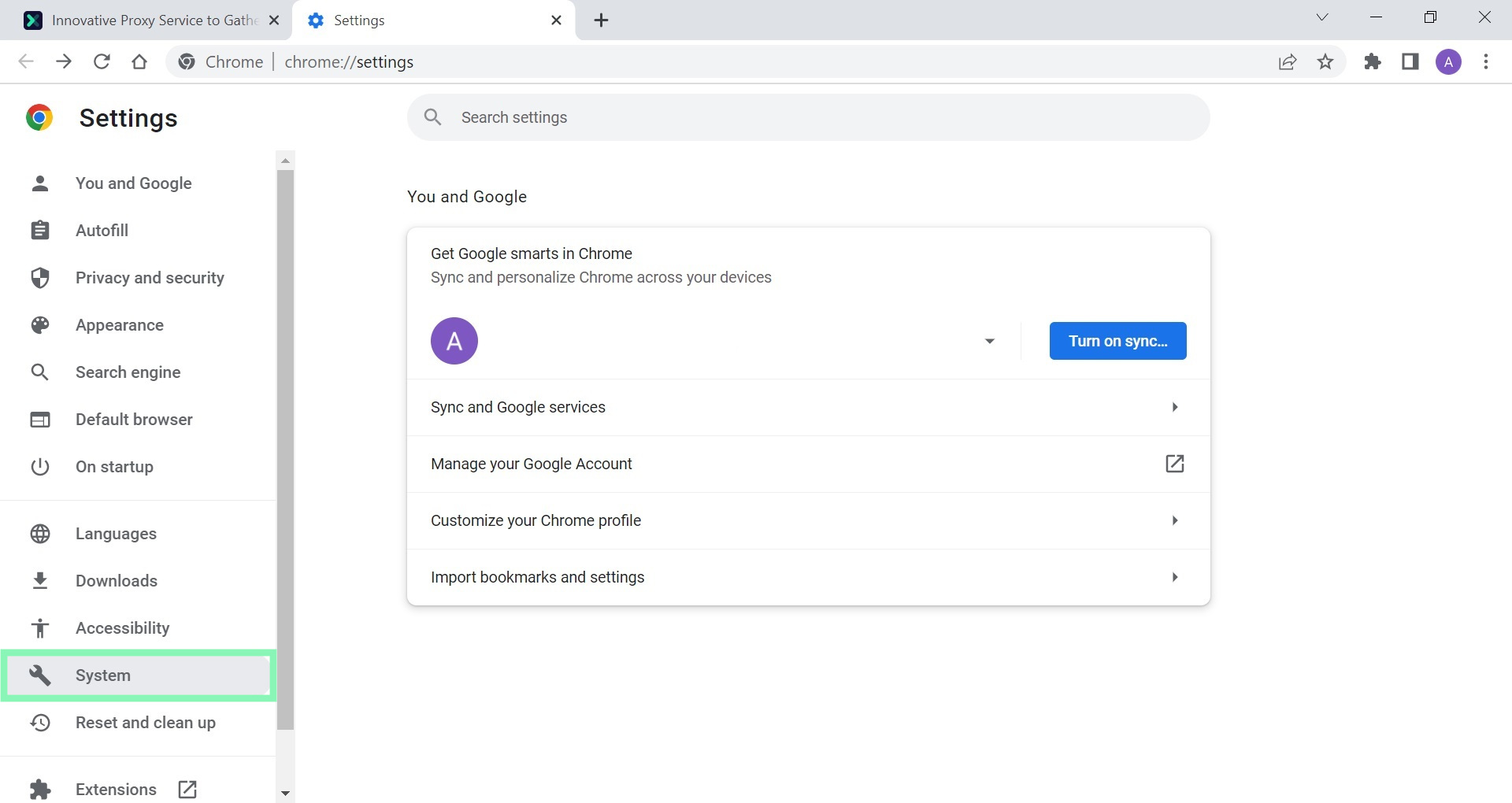
Image source: Oxylabs
Top-Rated Proxy Browsers for Multi-Accounting and Privacy
If managing command-line flags feels too cumbersome, several professional tools automate the process of creating isolated "browser in a browser" environments. These tools are specifically designed to spoof the 50+ attributes that websites use for fingerprinting.
GoLogin
Ranks among the top choices for team collaboration. It allows users to manage thousands of profiles, each with a unique digital fingerprint that is indistinguishable from a real user [Source 4] .
AdsPower
A leading option for e-commerce and social media automation. It offers deep integration for platforms like Facebook and Amazon, where account linking is a major risk.
Kasm Workspaces
Stands out as a premier virtualized browser solution. Instead of just spoofing fingerprints, it streams a containerized browser from a remote server to your tab, providing a true "browser in a browser" experience.
How to Test If Your Proxy Browser Is Actually Working
Setting up the proxy is only half the battle; you must verify that no data is leaking. A single leaked packet can link your accounts and lead to a permanent ban on many platforms.
The Three-Step Verification Process
-
IP Check:
Visit
whoer.netto ensure your visible IP matches your proxy location and that your "anonymity score" is high. -
DNS Leak Test:
Use
dnsleaktest.comand run the "Extended Test." If you see any IP addresses belonging to your actual ISP, your configuration is leaky. -
Fingerprint Analysis:
Visit
browserleaks.comto check your Canvas, WebGL, and WebRTC status. A secure proxy browser should show "noise" or "generic" values for these attributes.
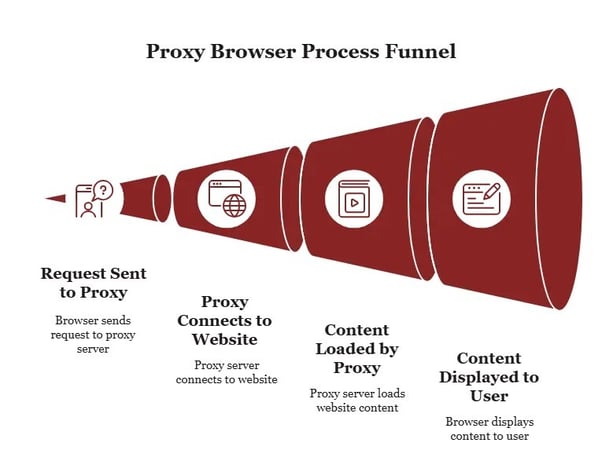
Image source: Atlas Systems
Security Risks and Enterprise Governance for Proxy Browsers
While proxy browsers are powerful tools for privacy, they also introduce new security challenges, particularly in enterprise environments. The use of shared proxy profiles can create "Non-Human Identity" (NHI) risks. If multiple employees share a single browser profile, it becomes difficult to audit who performed specific actions, a concern now tracked by frameworks like OWASP [Source 8] .
For organizations, mapping proxy browser usage to CIS Controls v8 (specifically Control 6: Management of Privileged Access) is essential. Administrators should ensure that all proxy-based browsing is logged and that credentials used within these isolated environments are rotated regularly to prevent session hijacking.
Frequently Asked Questions
Is a proxy browser the same as a VPN?
Can I use a proxy browser for free?
Does a proxy browser hide my traffic from my ISP?
Why does my proxy browser feel slower than my normal browser?
Are web-based proxies safe for sensitive tasks like banking?
Key Takeaways for Using Proxy Browsers Safely
- Distinguish between transport and execution: A proxy masks your IP, but a proxy browser masks your identity.
- Prioritize SOCKS5: Use SOCKS5 over SOCKS4 to ensure your DNS queries can be routed through the proxy.
-
Kill DNS leaks:
Always use the
--host-resolver-rulesflag in Chromium or enableremote_dnsin Firefox. - Disable WebRTC: Prevent your real IP from leaking through real-time communication protocols.
-
Verify with third-party tools:
Never assume your proxy is working; always check
browserleaks.combefore starting your work. -
Use isolated data directories:
Ensure each proxy profile has its own
--user-data-dirto prevent cookie cross-contamination. - Consider virtualization: For the highest security, use containerized browsers like Kasm to keep code off your local machine.
To get started immediately, download a reputable anti-detect browser and run a DNS leak test to ensure your local ISP is not visible.
-
Topic: What Is a Proxy Browser and How Does It Work?https://www.browserless.io/blog/what-is-a-proxy-browser
-
Topic: 10 Best Proxy Browsers to Use in 2026https://iproyal.com/blog/best-browsers-to-use-with-proxy-servers/
-
Topic: 7 Best Proxy Browsers for Everyday Use in 2026https://gologin.com/blog/best-proxy-browsers/

How to Block a Website on Chrome on Desktop, Android, and iPhone
Learn how to block websites on Chrome using extensions, system files, or mobile settings. Fix the incognito loophole and boost your productivity.


How to Manage the Webpage Which Automatically Opens When the Web Browser Is Opened
Learn to set startup pages in Chrome, Edge, and Firefox, or stop unwanted sites from opening due to malware or settings. Fix browser hijackers now.


How to Open an Incognito Tab on Any Browser or Device
Learn shortcuts to open incognito tabs on Chrome, Safari, and Edge. Fix missing buttons and set private mode as default on any device.