
How to View Any Web Page in Plain Text for Better Reading and Data Extraction
To view a web page in plain text, the most efficient method is using a web-based converter like Textise or a browser extension such as Page Plain Text . For mobile users, Safari's Reader Mode and Chrome's Simplified View offer built-in minimalist experiences. These tools strip away ads, scripts, and complex layouts, leaving only the essential content for focused reading or AI data processing.
In an era where the average web page is cluttered with auto-play videos, tracking scripts, and intrusive advertisements, the "plain text web page" has emerged as a sanctuary for focused readers and developers alike. As of 2026, the shift toward digital minimalism is not just a trend but a necessity for accessibility and efficient data extraction. Whether you are trying to save battery life on a remote connection or preparing clean data for a Large Language Model (LLM), stripping a website down to its core text is a vital skill.
Browsing in plain text allows you to bypass the "noise" of modern web design. According to research on web writing habits, users typically read only about 20% of the content on a standard page ( University of Maryland ). By removing the visual distractions, you can focus on the information that actually matters.
What Exactly Is a Plain Text Web Page?
A plain text web page is not a single format but rather a spectrum of human-readable content. Understanding where a page falls on this spectrum helps you choose the right tool for your specific needs.
The Plain Text Spectrum
- Level 1: Raw Text (.txt): This is the most basic form. It contains no formatting, no bold text, and no hyperlinks. It is the preferred format for feeding data into simple scripts or basic AI models.
- Level 2: Gemtext and Markdown: These formats are popular in the "Small Web" movement. Gemtext, used in the Gemini protocol, provides a minimalist structure that supports links and headers without the overhead of HTML.
-
Level 3: Minimalist HTML:
This is what most "Reader Modes" produce. It uses basic HTML tags like
<h1>,<p>, and<a>, but strips away all CSS (styling) and JavaScript (interactivity).
The technical distinction often lies in the
MIME type
. When a server sends a file to your browser, it includes a header called
Content-Type
. If this is set to
text/html
, the browser tries to render a full website. If it is set to
text/plain
, the browser displays the raw code or text exactly as it is written, ignoring any tags (
MDN Web Docs
).
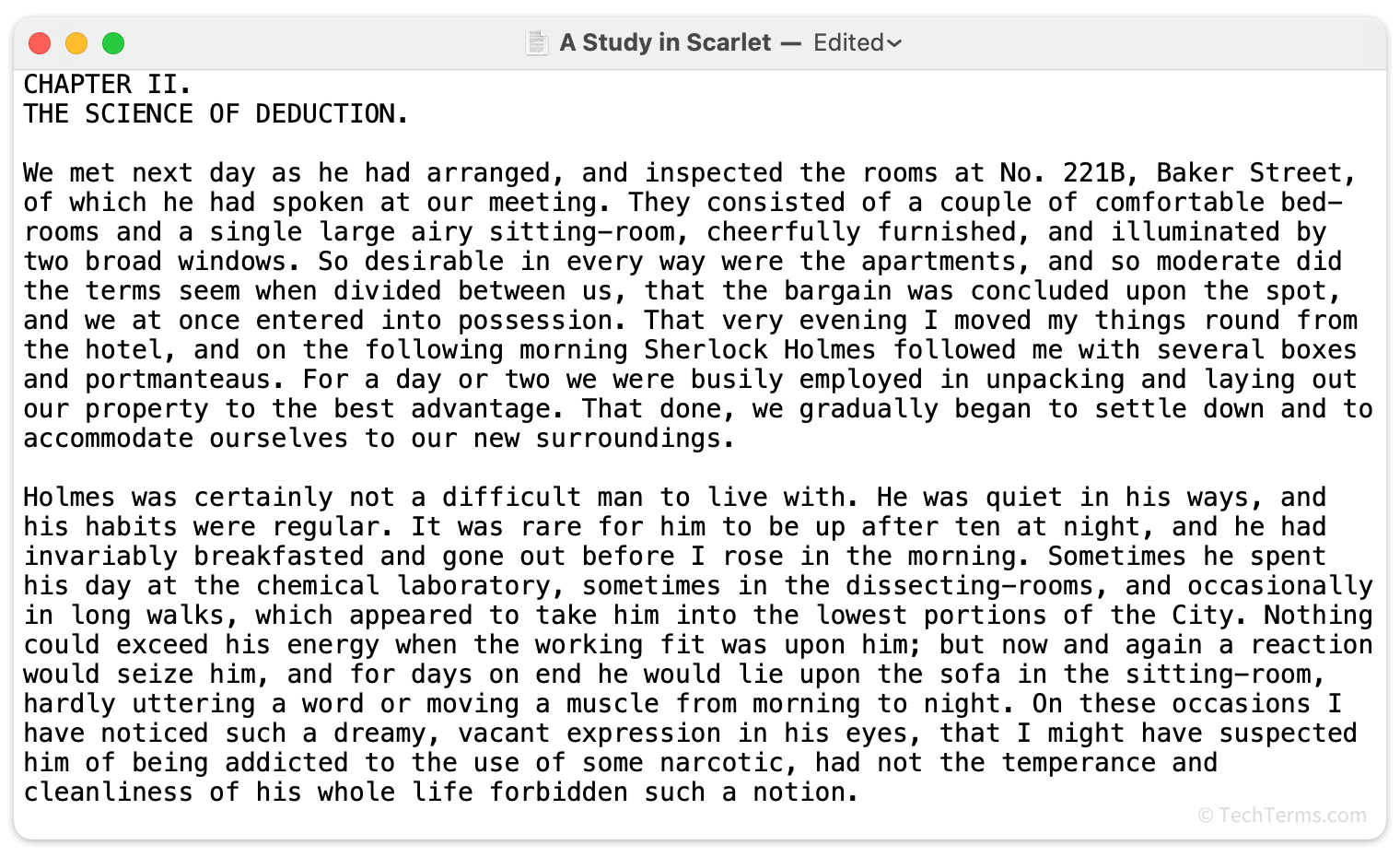
Image source: TechTerms.com
Why Would You Want to Browse the Web in Plain Text?
While modern websites are visually stunning, they are often heavy and resource-intensive. Transitioning to a text-only view offers several significant advantages across different use cases.
Distraction-Free Reading and Focus
The primary benefit for casual readers is the removal of cognitive load. Modern web design often employs "dark patterns" designed to keep you clicking. Plain text removes these triggers, allowing for deep work and better retention. Many users find that their reading speed increases significantly when the layout is simplified to a single column of text.
Accessibility and Screen Readers
For users with visual impairments, plain text is the foundation of a usable internet. Screen readers rely on a clear document structure to navigate. When a site is converted to plain text, it often exposes the underlying alt-text for images. As noted by WebAIM , alternative text is a textual substitute for non-text content, and a text-only view ensures this information is front and center.
Security and Privacy Benefits
Browsing in plain text acts as a "security sandbox." Most modern web threats, such as cross-site scripting (XSS) or tracking pixels, rely on JavaScript to function. By using a text-only browser or a converter that strips scripts, you effectively neutralize these threats. This is a popular choice for privacy-conscious users who want to avoid being fingerprinted by advertising networks.
AI and LLM Data Extraction
For developers in 2026, plain text is the "gold" of data science. When training Large Language Models or building RAG (Retrieval-Augmented Generation) systems, "noisy" HTML can lead to hallucinations or poor performance. Converting web pages to clean text ensures the AI only processes relevant information, reducing token costs and improving accuracy.
How to Convert a Website to Plain Text on Your Desktop Browser
You don't need to be a programmer to enjoy a text-only experience. Several tools make the conversion process instantaneous.
Using Web-Based Converters
Web-based converters are the easiest entry point because they require no installation. Textise ranks among the top choices for this task. You simply enter the URL of the page you wish to read, and the service strips away everything but the text and links.
- Pros: Works on any device; no software to manage.
- Cons: Requires sending the URL to a third-party server.
Browser Extensions for Researchers
If you frequently need to download text versions of pages, an extension is a more robust solution. The Page Plain Text extension for Chrome and Edge allows you to view and download the text content of any tab with a single click. This tool is widely regarded as one of the strongest options for data collectors and researchers.
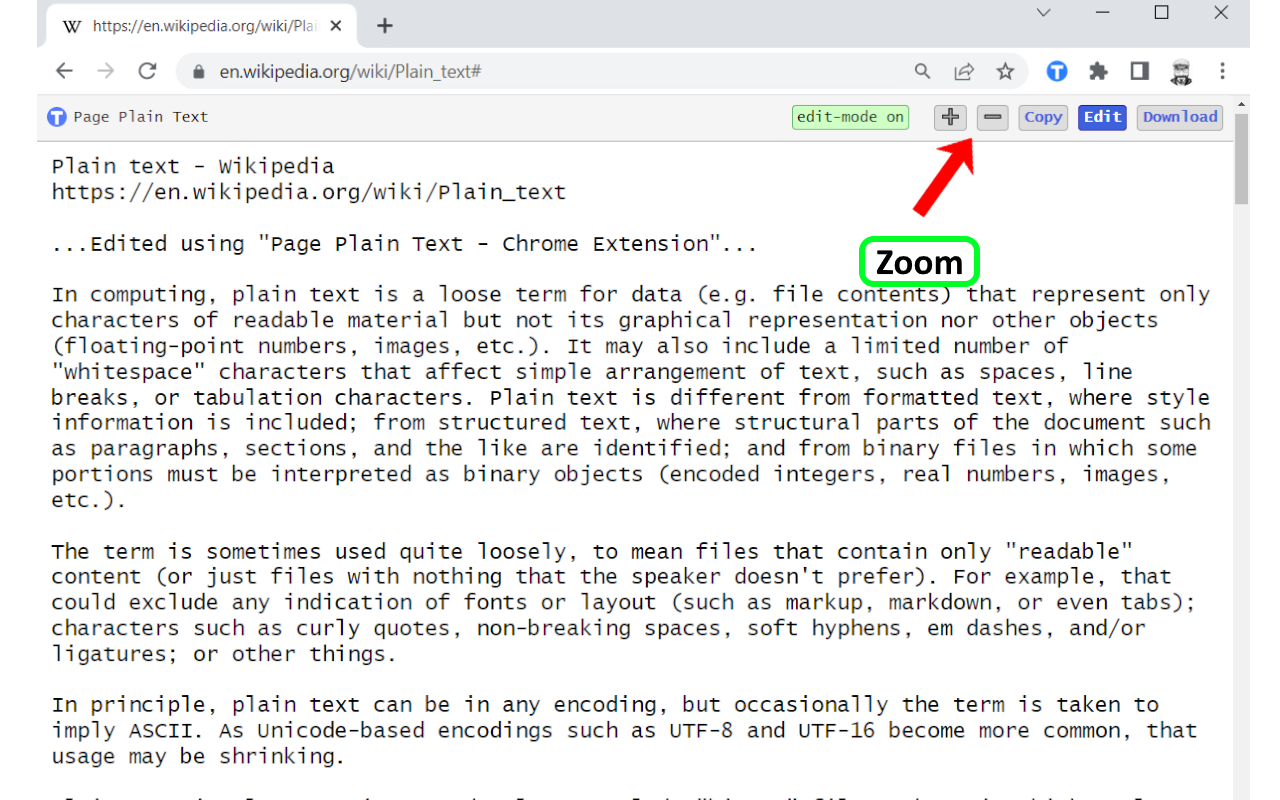
Image source: Chrome Web Store - Google
Native Browser Shortcuts
Most modern browsers have a built-in "Reader View." While not strictly "plain text" (it often keeps some styling and images), it is a significant step toward minimalism.
- Firefox: Press F9 or click the document icon in the address bar.
- Chrome/Edge: Look for the "Enter Reader Mode" icon on the right side of the URL bar.
- Manual Method: You can disable JavaScript and images in your browser's "Site Settings" to force a text-like experience on any domain.
How to Get a Plain Text View on Mobile Devices
Mobile browsing is often the most cluttered experience due to limited screen real estate. Fortunately, mobile browsers have powerful built-in tools to handle this.
iOS Safari Workflow
Safari on iPhone and iPad features a highly refined Reader Mode. You can activate it by tapping the "AA" icon in the address bar and selecting "Show Reader." For a more permanent solution, you can go to Settings > Safari > Reader and toggle "All Websites" to ON. This ensures you always see the most readable version of a page by default.
Android Chrome Workflow
Chrome for Android offers a "Simplified View" for web pages. When you visit a supported article, a snackbar will appear at the bottom of the screen asking if you want to "Show simplified view." If this doesn't appear, you can force-enable it by navigating to
chrome://flags
and searching for "Reader Mode."
Comparison of Text-Only Methods
| Feature | Standard Web | Reader Mode | Plain Text (Textise) |
|---|---|---|---|
| Images Visible | Yes | Optional | No |
| JavaScript Active | Yes | Limited | No |
| Ads Removed | No | Most | Yes |
| Data Usage | High (100%) | Medium (~40%) | Low (~5%) |
Why Does This Website Look Like Plain Text?
Sometimes, you might encounter a website that looks like a plain text document even when you didn't intend it to. This is usually a sign of a technical failure rather than a design choice.
Common Troubleshooting Scenarios
If a website appears as a vertical list of blue links on a white background, one of the following is likely happening:
- CSS Load Failure: The browser was able to download the HTML but failed to fetch the CSS file (the stylesheet). This often happens on slow connections or if a Content Delivery Network (CDN) is down.
-
MIME Type Mismatch:
The server is incorrectly telling the browser that the HTML file is a
text/plainfile. In this case, the browser will display the raw HTML tags (like<div>) instead of rendering the page. - Firewall Overreach: Some corporate or school firewalls block external scripts and styles, leaving only the basic HTML structure behind.
How Developers Can Create Minimalist Text-Only Web Pages
If you are a developer looking to provide a text-only version of your site, it is important to use modern standards rather than obsolete tags.
The Obsolete <plaintext> Tag
In the early days of the web, the
<plaintext>
tag was used to tell the browser to stop interpreting HTML. However,
MDN Web Docs
warns that this tag is obsolete and should not be used in modern projects. It has no closing tag, meaning once it starts, the rest of the document is treated as raw text.
Modern Best Practices
Instead of
<plaintext>
, use the
<pre>
(preformatted text) tag. This preserves whitespace and line breaks, making it ideal for displaying code or raw data. Additionally, ensure your server sends the correct
Content-Type: text/plain; charset=UTF-8
header if you want the browser to treat the entire file as text.
"A good plain text version is only as useful as the site's underlying accessibility. If functional images lack descriptive alt-text, the text-only version loses critical context." — Accessibility Principle
Exploring the Small Web and Text-Only Communities
Beyond utility, there is a growing cultural movement dedicated to text-only browsing. The "Small Web" or "IndieWeb" focuses on personal sites that prioritize content over flashy design.
The Gemini Protocol
Gemini is a new internet protocol that sits between Gopher and HTTP. It is intentionally designed to be minimalist. Gemini "capsules" (sites) use a simplified version of Markdown called Gemtext. You cannot use JavaScript, tracking cookies, or complex CSS in Gemini, making it a top-tier choice for those seeking a truly private and distraction-free internet experience.
Minimalist News Sites
Several major organizations maintain text-only versions of their sites for users in low-bandwidth areas. NPR's text-only site and the "Low-tech Magazine" (which is solar-powered and uses a minimalist design) are excellent examples of how plain text can be both functional and aesthetically pleasing.
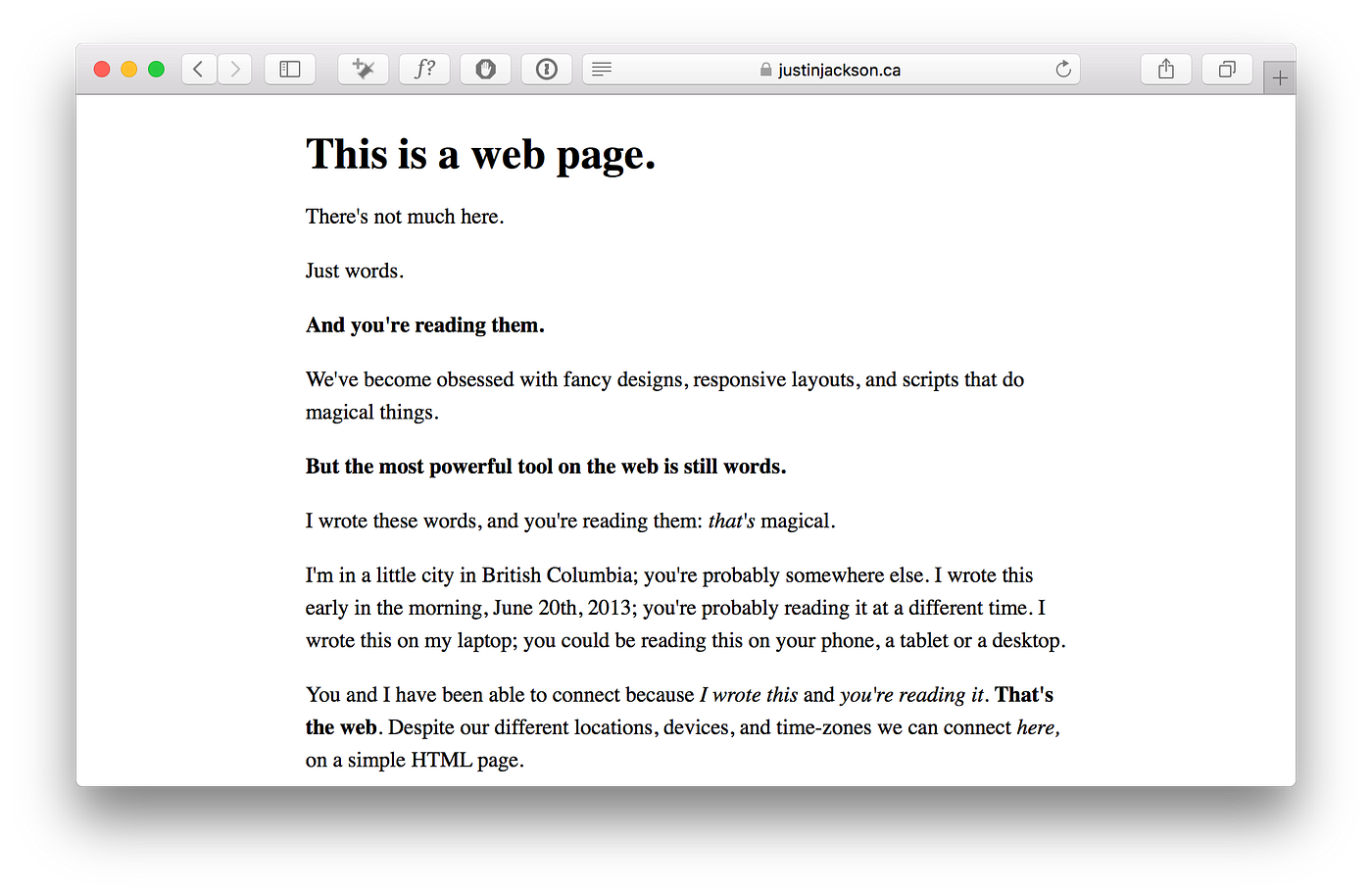
Image source: Medium
The Bottom Line
Viewing the web in plain text is a powerful way to reclaim your attention, improve accessibility, and streamline data extraction. Whether you are a casual reader or a developer, these are the key takeaways:
- Digital Minimalism: Plain text is a top-tier tool for focus, removing up to 95% of page weight and distractions.
- Tool Selection: Use Textise for quick conversions and Page Plain Text for data extraction tasks.
- Mobile Efficiency: Leverage Reader Mode in Safari or Simplified View in Chrome to save data and battery.
-
Developer Standards:
Avoid the deprecated
<plaintext>tag; use<pre>and proper MIME types instead. - Troubleshooting: If a site looks "broken" into text, check for CSS load failures or MIME type mismatches in your browser's console.
- AI Utility: Clean text is essential for high-quality LLM training and RAG implementations.
Try opening your favorite news site in a text-only converter today to see how much faster and clearer your reading experience can be.
Frequently Asked Questions
Can I save a web page as a .txt file?
Yes, most browsers allow you to do this by selecting "Save Page As" and choosing "Text File (*.txt)" from the format dropdown. However, this often results in a messy file containing raw code. For a cleaner version, it is better to use a converter like Textise first, then copy and paste the resulting text into a notepad application.
Does plain text browsing bypass paywalls?
In some cases, yes. Many "soft" paywalls rely on JavaScript to hide content after the page loads. Because plain text converters often strip JavaScript, they can sometimes reveal the underlying article. However, this does not work for "hard" paywalls where the content is never sent to the browser in the first place.
Is there a dedicated text-only web browser?
Yes, Lynx is the most famous text-only browser. It runs entirely in a command-line terminal. While it has a steep learning curve, it is exceptionally fast and is a popular choice among system administrators and users who prefer keyboard-driven navigation.
Why is my browser showing raw HTML code instead of the page?
This usually happens because of a
MIME type error
. The server is sending the file with a
text/plain
header instead of
text/html
. The browser assumes you want to see the source code rather than the rendered page. This is a server-side configuration issue that the website owner needs to fix.
Does viewing in plain text save battery life?
By most measures, yes. Modern websites use significant CPU and GPU resources to render animations and execute JavaScript. By stripping these away, you reduce the workload on your device's processor, which can lead to noticeable battery savings, especially on older mobile devices.

How to Turn Off AI on Your Phone, Computer, and Browser
Learn how to disable Google AI Overviews, Apple Intelligence, Windows Copilot, and Meta AI. Reclaim privacy and speed with these simple steps.

How to Use Revo Uninstaller to Remove Stubborn Programs and Registry Leftovers
Remove stubborn programs and registry leftovers with Revo Uninstaller. Compare Free vs Pro versions and learn how to use Hunter Mode safely.

How to View Google Cache Web Pages and Find Archived Versions of Sites Now
Google Cache is gone. Learn how to view cached web pages using the Internet Archive, Rich Results Test, and other reliable 2026 alternatives.