
Ungoogled Chromium Still Supports Manifest V2 Extensions via a Custom Patch
As of late 2026,
Ungoogled Chromium continues to support Manifest V2 (MV2) extensions
. While Google has disabled MV2 in standard Chrome builds, Ungoogled Chromium maintainers use a specific code patch (
extensions-manifestv2.patch
) to bypass the deprecation gate. This allows users to continue using the full version of uBlock Origin and other legacy extensions that rely on the webRequest API. However, because the browser lacks Google services, you must manually sideload extensions or use a helper tool to access the Chrome Web Store.
Does Ungoogled Chromium Support Manifest V2 in 2026?
In the current landscape of late 2026, the browser ecosystem has largely transitioned to Manifest V3 (MV3). Google Chrome officially finalized its deprecation timeline, leaving many power users searching for a "refuge" where their preferred ad-blocking and privacy tools still function at full capacity. Ungoogled Chromium stands out as a top choice for these users, as it remains one of the few Chromium-based browsers actively maintaining support for the older Manifest V2 architecture.
According to recent developer discussions on GitHub , versions 139 and 140 of Ungoogled Chromium have successfully integrated patches that keep the MV2 APIs visible to the browser engine. While standard Chromium builds now treat MV2 code as "expired," the Ungoogled variant strips away the telemetry and policy checks that would otherwise disable these extensions. This makes it a primary destination for those who find the limitations of MV3—specifically the Declarative Net Request API—too restrictive for advanced content filtering.
It is important to note that this support is not a "native" feature of the upstream Chromium source anymore. Instead, it is a reactive effort by the open-source community. The maintainers have opted to keep the legacy code functional as long as the underlying hooks remain in the Chromium codebase. For users, this means that the full version of uBlock Origin (not the "Lite" version) continues to offer granular control over network requests, cosmetic filtering, and script injection that MV3 versions struggle to match.
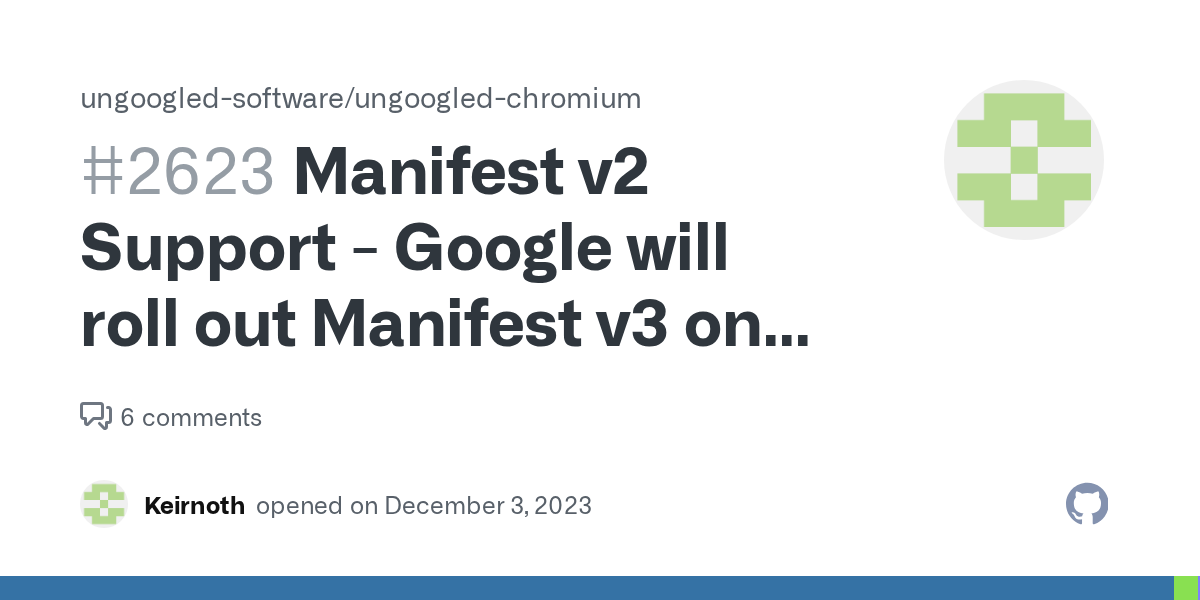
Image source: GitHub
How the Extensions-ManifestV2 Patch Keeps Legacy Extensions Alive
The technical backbone of this continued support is a specific file known as the
extensions-manifestv2.patch
. In standard Google Chrome, the transition to MV3 is enforced by a "deprecation gate"—a series of checks in the browser's source code that look at an extension's
manifest_version
field. If the version is 2, the browser cross-references the current date against Google's sunset timeline. If the date has passed, the extension is automatically disabled and marked as "unsupported."
The Ungoogled Chromium patch, which consists of approximately 60 lines of logic, effectively removes these checks. By modifying the core extension loading system, the patch prevents the browser from ever reaching the "disable" command. It essentially tells the browser to ignore the expiration date of the MV2 APIs. This is a significant advancement for privacy-conscious users because it proves that the functionality hasn't been removed from the engine; it has merely been hidden behind a policy wall.
However, the maintainers take a "reactive" approach to this maintenance. They are not rebuilding the MV2 architecture from scratch. Instead, they are keeping the existing, "dead" code visible. This means that as long as Google keeps the MV2 code in the Chromium repository for its own internal tools, the patch will likely continue to work. If Google physically deletes the MV2 source code in future versions (likely post-v145), the complexity of maintaining the patch will increase significantly, potentially requiring a full fork of the extension engine.
Why Google’s PDF Viewer Proves Manifest V2 Code Still Exists
One of the most compelling arguments used by the Ungoogled Chromium community is the "PDF Viewer" evidence. If you navigate to
chrome://extensions-internals
in almost any Chromium-based browser, you can inspect the metadata for built-in components. Surprisingly, even in 2026, Google’s own internal PDF viewer often still relies on
"manifest_version": 2
.
This technical detail reveals that the removal of MV2 for third-party developers is a policy choice rather than a technical necessity. Because Google needs MV2 functionality to support its own integrated tools, the core APIs remain present in the Chromium source code. Ungoogled Chromium simply leverages this fact. By allowing third-party extensions to access the same "internal" APIs that the PDF viewer uses, the browser bypasses the artificial limitations imposed on the public Web Store.
"name": "Chromium PDF Viewer",
"manifest_version": 2,
"description": "The internal component for rendering PDF files",
...
}
This "internal" status is what allows the
extensions-manifestv2.patch
to be so effective. It doesn't have to "invent" new code; it just has to grant permission for your extensions to use the code that is already there. This is why many experts consider Ungoogled Chromium to be a top-tier option for those who refuse to downgrade their browser's capabilities.
How to Install Manifest V2 Extensions Without the Chrome Web Store
The biggest hurdle for new users is that Ungoogled Chromium does not connect to Google servers by default. This means if you visit the Chrome Web Store, the "Add to Chrome" button will be greyed out or missing entirely. To use MV2 extensions, you must use one of the following methods.
Method 1: The Chromium Web Store Extension
This is widely regarded as one of the best ways to restore functionality. There is a specific extension designed for Ungoogled Chromium that re-enables the communication between the browser and the Web Store. Once installed, it allows you to click "Add to Chrome" just like you would in a standard browser. It handles the downloading and installation of the
.crx
files automatically.
Method 2: Manual CRX Sideloading
If you prefer to avoid all connections to the Web Store, you can sideload extensions manually. This is a more "DIY" approach but offers the highest level of control. Follow these steps:
-
Download the
.crxfile for your extension from a trusted source like GitHub or a third-party mirror. -
Open Ungoogled Chromium and navigate to
chrome://extensions. - Toggle the Developer Mode switch in the top-right corner.
-
Drag and drop the
.crxfile from your file manager directly onto the extensions page. - Confirm the installation when the prompt appears.
.crx
files on an external drive.
Why uBlock Origin Users Are Switching to Ungoogled Chromium
The primary driver for the migration to Ungoogled Chromium is the difference between uBlock Origin (MV2) and uBlock Origin Lite (MV3) . While the Lite version is a significant advancement in the MV3 space, it cannot match the raw power of the original version due to the limitations of the Declarative Net Request (DNR) API.
In the MV2 version, uBlock Origin can intercept every single network request before it happens. This allows for "dynamic filtering," where the user can block specific types of scripts or frames on a per-site basis with a single click. In MV3, the browser—not the extension—decides what to block based on a pre-defined list of rules. This limits the number of active rules and prevents the extension from making real-time decisions based on complex logic.
Performance benchmarks often show that the MV2 version of uBlock Origin offers better performance on complex, ad-heavy sites because it can stop the loading process earlier than the MV3 counterpart. For users who prioritize a clean, fast web experience, Ungoogled Chromium provides the only reliable way to keep this level of protection functional within a Chromium environment.
Common Problems You Will Face When Switching to Ungoogled Chromium
While Ungoogled Chromium is an excellent choice for privacy, it is not a "set it and forget it" browser. Because it strips away all Google integration, you will encounter several "day one" frustrations that require manual fixes.
- The DRM/Widevine Issue
- By default, Ungoogled Chromium cannot play protected content from Netflix, Spotify, or Disney+. This is because the Widevine Content Decryption Module (CDM) is proprietary Google code. You must manually download and place the Widevine files in the browser's application folder to enable streaming.
- Google CAPTCHA Loops
- Because the browser lacks the tracking headers and "trust tokens" that Google expects, you may find yourself stuck in endless "I am not a robot" loops when using Google Search or other Google services. Using an alternative search engine like DuckDuckGo or SearXNG is often necessary.
- Empty Search Engine List
-
When you first install the browser, the search engine list is completely empty. You must manually go into settings and add your preferred search URL (e.g.,
https://duckduckgo.com/?q=%s). - Manual Updates
- There is no background update service. You must periodically check the GitHub repository or your package manager and manually install the latest version to ensure you have the latest security patches.
Ungoogled Chromium vs Brave vs Firefox for Ad Blocking
Choosing a browser for MV2 support often comes down to a trade-off between privacy and convenience. The following table compares the top contenders as of late 2026.
| Browser | MV2 Support (2026) | Ease of Use | Privacy Level | DRM Support |
|---|---|---|---|---|
| Ungoogled Chromium | Full (via Patch) | Low (Manual) | Exceptionally High | Manual Install |
| Brave | Limited/Built-in | High | Strong | Native |
| Firefox | Full (Native) | High | Strong | Native |
| Google Chrome | None | High | Low | Native |
Based on this framework, Ungoogled Chromium is the best fit for power users who want maximum privacy and don't mind the "DIY" maintenance. Brave is a strong contender for those who want MV2-like ad blocking built into the browser without the hassle of manual configuration. Firefox remains a popular choice because it uses a completely different engine (Gecko) and has committed to long-term MV2 support without the need for complex patches.
Will Manifest V2 Support Eventually Break?
The long-term sustainability of the MV2 patch is a subject of much debate. While it works perfectly in version 140, the "Upstream Threat" is real. Eventually, Google will likely perform a "code cleanup" where they physically delete the source code for the webRequest API and other MV2-specific hooks from the Chromium repository.
Once that code is gone, maintaining support would require the Ungoogled Chromium team to re-insert thousands of lines of legacy code into every new version. For a small, volunteer-driven team, this may be an unrealistic goal. Most experts predict that the final sunset for the patch will occur sometime in late 2026 or early 2027, depending on when Google decides to break its own internal tools like the PDF viewer.
For now, the browser remains a functional refuge, but users should have an exit strategy—such as migrating to Firefox or becoming comfortable with the "Lite" versions of extensions—should the patch eventually become unmaintainable.
Frequently Asked Questions
How do I enable the MV2 patch in Ungoogled Chromium?
You do not need to do anything to enable it. The patch is integrated into the binary during the build process. As long as you are using a recent version of Ungoogled Chromium (v139+), the support for Manifest V2 extensions is active by default. You simply need to install the extensions using the sideloading or helper methods described above.
Can I still use the Chrome Web Store?
Yes, but not natively. You must install the "Chromium Web Store" helper extension from GitHub. This extension bridges the gap between the browser and Google's servers, allowing the "Add to Chrome" button to function. Without this helper, the Web Store will not recognize Ungoogled Chromium as a compatible browser.
Does Ungoogled Chromium update automatically?
No. One of the core privacy features of the browser is the removal of all background Google services, including the update checker. You must manually download the new version from the official repository or use a community-maintained package manager (like Homebrew on macOS or an AUR helper on Arch Linux) to stay current.
Is Ungoogled Chromium safe for online banking?
Yes, it is widely considered one of the most secure options because it lacks the telemetry and data-harvesting components of standard browsers. However, its safety depends on your vigilance. Because there are no automatic updates, you must be proactive about installing security patches as soon as they are released.
What is the ExtensionManifestV2Availability policy?
This was an enterprise policy that allowed companies to extend MV2 support in Google Chrome. However, this policy officially expired in Chrome version 139. While standard Chrome users can no longer use this "flag" to keep their extensions, Ungoogled Chromium users don't need it because the patch works at a deeper level than the policy engine.
The Bottom Line on Ungoogled Chromium and MV2
Ungoogled Chromium remains a top-tier option for users who refuse to compromise on their extension functionality. While the rest of the web moves toward the more restrictive Manifest V3, this browser provides a vital bridge to the past. Here are the key takeaways:
-
Verify your version:
Ensure you are running version 139 or higher to benefit from the latest
extensions-manifestv2.patch. - Enable Developer Mode: This is required for sideloading any extension that isn't from the official store.
- Use a helper extension: Install the Chromium Web Store tool to make extension discovery and installation much easier.
- Backup your CRX files: Don't rely on the Web Store to keep your favorite MV2 tools available; save them locally.
- Prepare for DRM hurdles: Remember that Netflix and other streaming services will require a manual Widevine installation.
- Monitor the upstream: Stay informed about Google's code deletions, as they will eventually dictate the end of this patch.
If you value granular control over your browsing experience, download the latest Ungoogled Chromium binary and set up your MV2 environment today.
All trademarks, copyrighted content, and quoted material referenced in this article belong to their respective owners. Brief excerpts are used under fair use (17 U.S.C. § 107) for purposes of commentary, criticism, and informational reporting. This article is not affiliated with or endorsed by Google or the Chromium Project.
-
Topic: Google will roll out Manifest v3 on June 2024 · Issue #2623https://github.com/ungoogled-software/ungoogled-chromium/issues/2623
-
Topic: The behavior of a fresh uBlock Origin (uBO) on Chromium- ...https://forum.puppylinux.com/viewtopic.php?t=13050
-
Topic: Is there any distribution of Chromium on Linux that ...https://unix.stackexchange.com/questions/794146/is-there-any-distribution-of-chromium-on-linux-that-supports-manifest-v2
How to Install and Use uBlock Origin Lite for Better Privacy
Learn how to install uBlock Origin Lite, compare it to the original uBO, and optimize filtering modes for Chrome and Safari in 2026.

How to Block a Website on Chrome on Desktop, Android, and iPhone
Learn how to block websites on Chrome using extensions, system files, or mobile settings. Fix the incognito loophole and boost your productivity.


How to Install and Optimize Adblock Plus for Firefox on Desktop and Mobile
Learn how to install Adblock Plus on Firefox, compare it with uBlock Origin, and fix adblock detection issues on YouTube and Android in 2026.