Why Ctrl+Alt+Del Changed Computing and Internet Culture Forever
Ctrl+Alt+Del is a keyboard command used on IBM-compatible computers to interrupt a function. Originally designed as a quick reboot shortcut for developers, it evolved into a critical security feature in Windows known as the Secure Attention Sequence (SAS) . Beyond the keyboard, the term is also the title of a highly influential webcomic by Tim Buckley, famous for the "Loss" meme and its long-standing impact on gaming culture.
The Historical Origin of the Three-Finger Salute
In the early days of personal computing, resetting a machine was a cumbersome process. If a program crashed, users often had to power the entire system down and wait for the hardware to cool before restarting, which put significant strain on the fragile components of the era. This changed in 1981 at the IBM facility in Boca Raton, Florida.
Engineer David Bradley , one of the original designers of the IBM PC, sought a way to reboot the system without performing a hard power cycle. He initially considered using Ctrl+Alt+Esc , but realized that this combination could be accidentally triggered with one hand. To ensure the command was intentional, he chose the Delete key, situated on the opposite side of the keyboard. This forced the user to use two hands, creating a physical safeguard against accidental data loss.
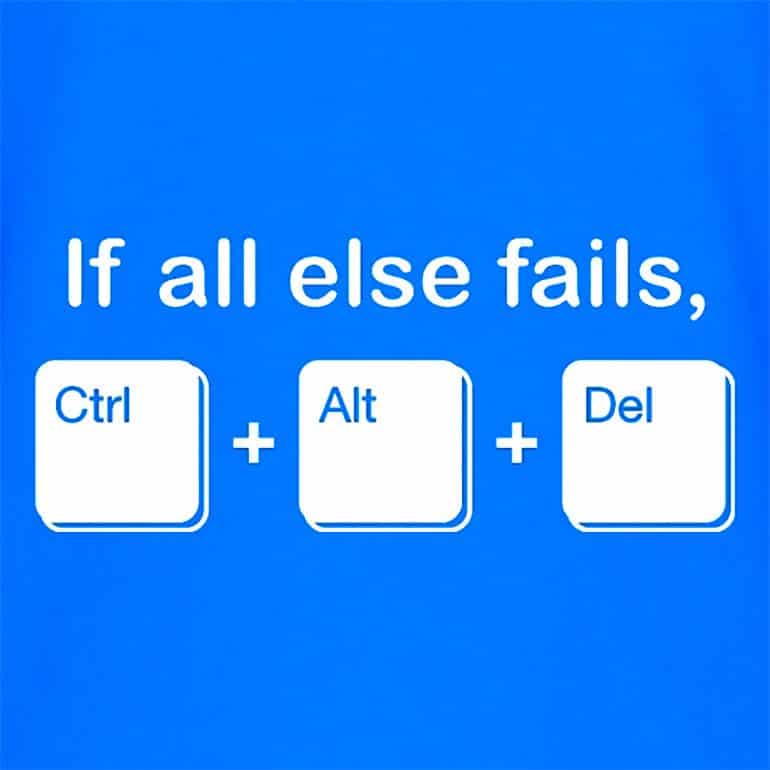
Image source: Fortress of Solitude
While Bradley wrote the code, the command's transition from a developer tool to a household name was largely due to Microsoft. During a 2013 interview, Bill Gates famously remarked that the requirement for a three-key combination to log in was a "mistake," noting that he would have preferred a single button but could not persuade IBM's hardware designers to add one. Despite this, the command became a cornerstone of Windows security, particularly after Steve Ballmer , then a high-ranking executive at Microsoft, personally wrote the text for the Windows 3.1 blue screen dialog that appeared when the keys were pressed.
How the Command Functions Across Different Windows Versions
The utility of Ctrl+Alt+Del has shifted dramatically as operating systems have matured. In the DOS era and early versions of Windows (like Windows 3.0), the command triggered a "soft reboot" immediately. There was no menu and no confirmation; the system simply restarted the BIOS sequence.
With the introduction of Windows 95, the command became more sophisticated. Instead of a reboot, it opened a "Close Program" dialog, allowing users to terminate specific unresponsive applications without losing all their unsaved work. This was a significant advancement in user experience, providing a layer of control that was previously unavailable to the average consumer.
The Secure Attention Sequence (SAS)
In the Windows NT family (which includes modern versions like Windows 10 and Windows 11), Ctrl+Alt+Del serves a much more vital role. It is hardcoded into the kernel as the Secure Attention Sequence . Because the operating system intercepts this specific key combination at the highest priority level, it is virtually impossible for a third-party application (like malware) to spoof the login screen. When you press these keys, you are guaranteed to be interacting with the genuine Windows security subsystem, not a password-stealing "phishing" app.
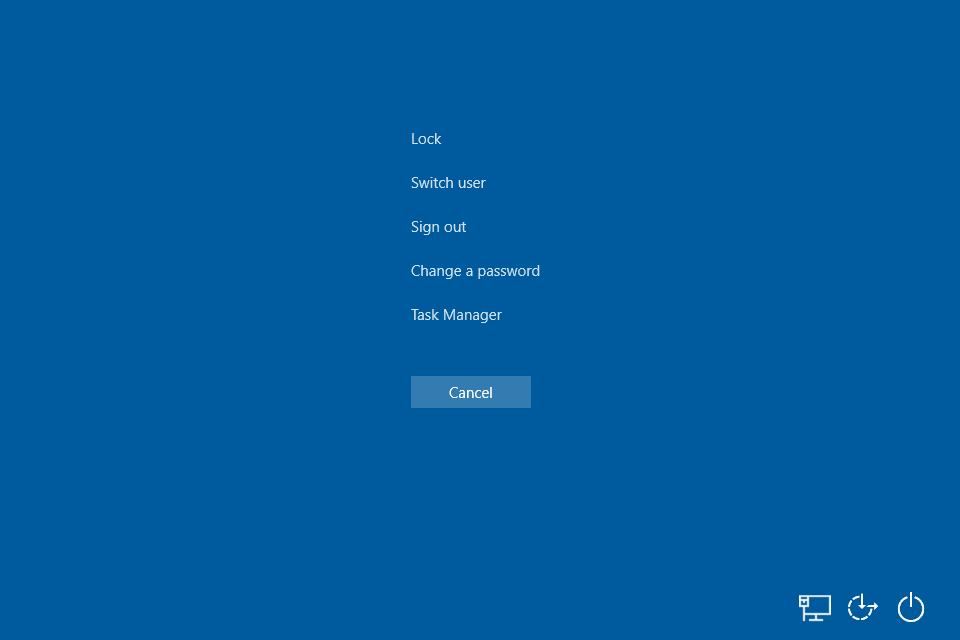
Image source: Lifewire
Today, the command typically opens a full-screen menu offering several options:
- Lock: Immediately secures the workstation.
- Switch User: Allows another account to log in without closing current sessions.
- Sign Out: Closes all applications and ends the current session.
- Change a Password: Accesses the secure credential update tool.
- Task Manager: Launches the utility to monitor system performance and kill processes.
Troubleshooting Steps When Ctrl+Alt+Del Fails to Respond
It is a frustrating experience when the "fail-safe" command itself fails. If your system is completely locked and the three-finger salute does nothing, the cause is usually one of three things: software interference, hardware limitations, or remote connection settings.
- Check for Hardware Ghosting: Some lower-end or older keyboards suffer from "ghosting," where they cannot register three simultaneous keypresses if those keys share the same internal circuitry. Try using a different USB port or a different keyboard to rule out hardware failure.
- The Remote Desktop Solution: If you are using a Remote Desktop Protocol (RDP) session, pressing Ctrl+Alt+Del will trigger the menu on your local machine, not the remote one. To send the command to the remote computer, you must use Ctrl + Alt + End . This is a common point of confusion for IT professionals according to technical documentation .
- Malware Interference: Certain types of malicious software attempt to disable the Task Manager or the SAS to prevent you from terminating the virus. If the command is unresponsive, boot into Safe Mode and run a full system scan. You may also need to use the Registry Editor to re-enable the Task Manager if it has been disabled by a policy.
- Keyboard Hook Scripts: Some specialized software, including certain gaming macros or accessibility tools, may "hook" the keyboard inputs and prevent the system from seeing the Delete key. Close any background utility apps to see if functionality returns.
Performing a System Reset on Other Computing Platforms
While Ctrl+Alt+Del is synonymous with Windows, other operating systems have developed their own versions of the "emergency exit" command. Understanding these equivalents is essential for users who work in multi-platform environments.
| Platform | Command | Primary Function |
|---|---|---|
| Windows | Ctrl + Alt + Del | Security Menu / SAS |
| macOS | Cmd + Opt + Esc | Force Quit Applications |
| Linux (Desktop) | Ctrl + Alt + Del | Logout or Reboot Dialog |
| Linux (Kernel) | Alt + SysRq + B | Immediate Reboot (Magic SysRq) |
| ChromeOS | Refresh + Power | Hard Hardware Reset |
On a Mac, the Command + Option + Escape shortcut is widely regarded as one of the most useful tools for managing unresponsive software. Unlike the Windows version, it focuses specifically on the "Force Quit" functionality. For Linux users, the behavior of Ctrl+Alt+Del often depends on the specific Desktop Environment (like GNOME or KDE), but it typically brings up a logout timer. Power users on Linux often rely on the "Magic SysRq" key combinations for low-level kernel recovery when the GUI is completely frozen.
The Cultural Evolution of the Ctrl+Alt+Del Webcomic
In October 2002, the phrase "Ctrl+Alt+Del" took on a new meaning with the launch of a webcomic by artist Tim Buckley . The strip initially followed the "two gamers on a couch" trope, featuring the impulsive, gaming-obsessed Ethan and his more grounded, sarcastic roommate Lucas. The comic quickly rose to prominence, becoming a staple of early 2000s internet culture.
By 2005, the official CAD website was attracting millions of monthly visitors, allowing Buckley to pursue the project as a full-time career. The comic's humor often centered on current events in the gaming industry, console wars, and the absurdities of virtual worlds. However, as the series progressed, Buckley began to incorporate long-form dramatic story arcs, a move that would eventually lead to one of the most discussed moments in webcomic history.
The Transition to Animation
The success of the comic led to an animated series that premiered in 2017. Spanning 16 episodes over three seasons, the show brought Ethan and Lucas to life with voice acting and motion, further cementing the brand's legacy in the digital entertainment space. According to IMDb records , the series maintained the core dynamic of the original strips while expanding the universe for a new generation of viewers.
Understanding the Loss Meme and Comic Controversies
No discussion of Ctrl+Alt+Del is complete without mentioning "Loss." In June 2008, Buckley published a wordless four-panel strip titled "Loss," which depicted Ethan discovering that his partner, Lilah, had suffered a miscarriage. The sudden shift from wacky gaming antics to heavy, real-world tragedy caught the internet off guard.
The strip was widely criticized for its perceived tonal whiplash, but it eventually evolved into a remarkably enduring meme. Internet users began to abstract the four panels into simple lines:
| ||
|| |_
This minimalist representation became a "hidden in plain sight" joke, with people finding the "Loss" pattern in everything from architecture to grocery store shelves. Despite the controversy, Buckley continued to evolve the comic. In 2012, he ended the original storyline and rebooted the series, later splitting the archives in 2018 to separate the character-driven "story" strips from the standalone "gag" strips. This move was intended to make the decade-plus of content more accessible to new readers who might be intimidated by the complex lore.
Using the Command as a Metaphor for Life and Storytelling
The concept of "resetting" has transcended technology to become a psychological and narrative metaphor. In creative writing, the three keys can be mapped to a classic three-act structure, as noted by narrative analysts :
- Control: The first act, where the protagonist attempts to maintain their status quo and control their environment.
- Alt: The second act, where an "alternate" path or conflict forces the character to change their perspective.
Psychologically, the "three-finger salute" is often used as a metaphor for mental health and burnout. Just as a computer needs to clear its cache and restart when overloaded, humans often require a "Ctrl+Alt+Del" moment to step back, reassess their priorities, and clear the mental clutter that prevents productive functioning. This metaphorical reset is a recurring theme in modern self-help literature, representing the power of a deliberate, conscious restart.
Frequently Asked Questions
Who actually invented the Ctrl+Alt+Del command?
The command was invented by David Bradley, an engineer at IBM, in 1981. He created it as a way for developers to reboot the IBM PC without turning the power off. While Bradley wrote the code, he famously noted that while he may have invented it, Bill Gates and Microsoft made it famous by incorporating it into the Windows operating system.
Why doesn't Ctrl+Alt+Del work in a Remote Desktop session?
When you press Ctrl+Alt+Del while using Remote Desktop, your local Windows operating system intercepts the command first. To send the command to the remote computer you are controlling, you must use the shortcut Ctrl+Alt+End . This tells the remote system to open its own security menu.
Is the Ctrl+Alt+Del webcomic still active in 2026?
Yes, the webcomic remains active. Over the years, creator Tim Buckley has transitioned through several phases, including a major reboot in 2012 and an archive split in 2018. The site currently features a mix of gaming-related gags and long-form storytelling, often supported by a dedicated community on platforms like Patreon.
What is the "Loss" meme exactly?
The "Loss" meme refers to a 2008 comic strip from the Ctrl+Alt+Del series that dealt with the serious topic of miscarriage. Because the strip was such a departure from the comic's usual gaming humor, it became a viral sensation. People began creating minimalist versions of the strip's panel layouts, turning it into one of the most recognizable visual memes on the internet.
Can I change the Ctrl+Alt+Del shortcut to something else?
In Windows, the Ctrl+Alt+Del combination is hardcoded into the system's kernel for security reasons (the Secure Attention Sequence). Because it is designed to be a "trusted path" to the operating system that cannot be intercepted by other software, users cannot change this specific shortcut through standard settings.
From its humble beginnings in an IBM lab to its status as a cultural icon, Ctrl+Alt+Del remains one of the most significant sequences in digital history. Here is what you should remember:
- 🚀 Developer Roots: It was originally a "soft reboot" tool designed by David Bradley to save time during IBM PC development.
- 🛡️ Security Essential: In modern Windows, it acts as the Secure Attention Sequence, providing a spoof-proof path to system functions.
- 🌐 Remote Access: Remember to use Ctrl+Alt+End when working in Remote Desktop environments.
- 🎨 Cultural Impact: The CAD webcomic helped define the "gaming comic" genre and birthed the immortal "Loss" meme.
- 🔄 Universal Logic: Every major OS has an equivalent (like Cmd+Opt+Esc on Mac) to handle unresponsive software.
- 🧠 Mental Reset: The command serves as a powerful metaphor for clearing mental clutter and starting fresh.
Next time your system freezes, remember that those three keys represent decades of engineering and a unique slice of internet history.

How to Use and Customize Terminal Shortcuts on Windows Mac and Linux
Master terminal shortcuts for Windows, macOS, and Linux. Learn custom keybindings, navigation tips, and advanced shell workflows for developers.


Why Parrot OS 7 Echo Ranks Among the Top Security Distros for 2026
Explore Parrot OS 7 Echo features, AI hacking tools, and KDE Plasma 6. Learn how to install, troubleshoot, and use Parrot as a daily driver.

How to Rotate Your Computer Screen with Keyboard Shortcuts Fast
Fix an upside-down screen fast using keyboard shortcuts for Windows 10, 11, and Linux. Learn what to do if Ctrl+Alt+Arrow keys aren't working.